Configuration
1
Column name
Input a new column name.
2
Syntax
It’s in the field that you use syntax to create your new column. You can do a lot of different things with it: column reference, functions, operations, parameters and static values. Check out the examples below to see a couple of examples.
Note that if you create multiple new columns, you can reference the result of the previously added columns. Like this: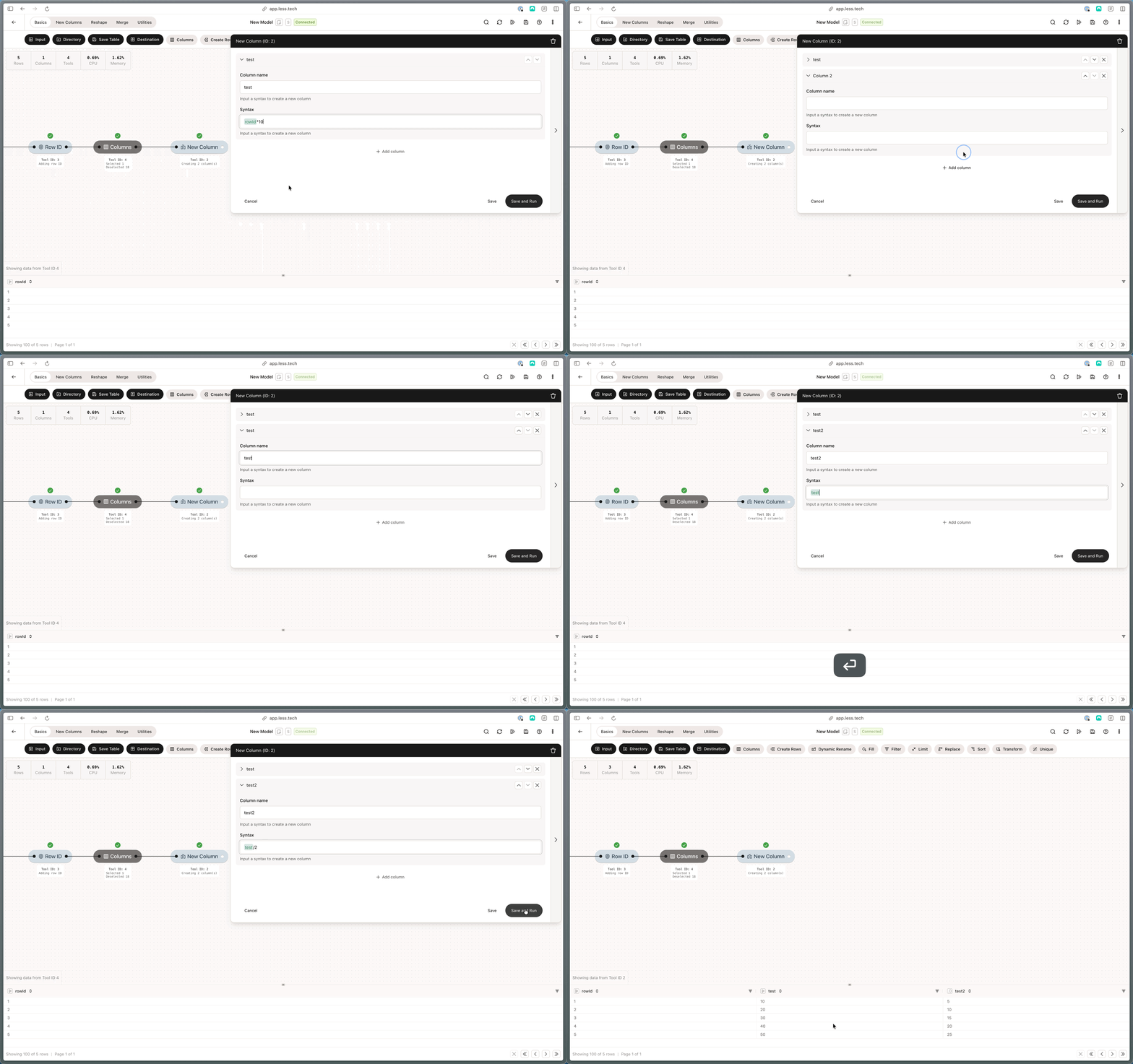
Example: Static Values
You can easily create new static values by using the syntax field. Here’s a couple of examples for different types of columns. Notice the double-quotes around the text literal.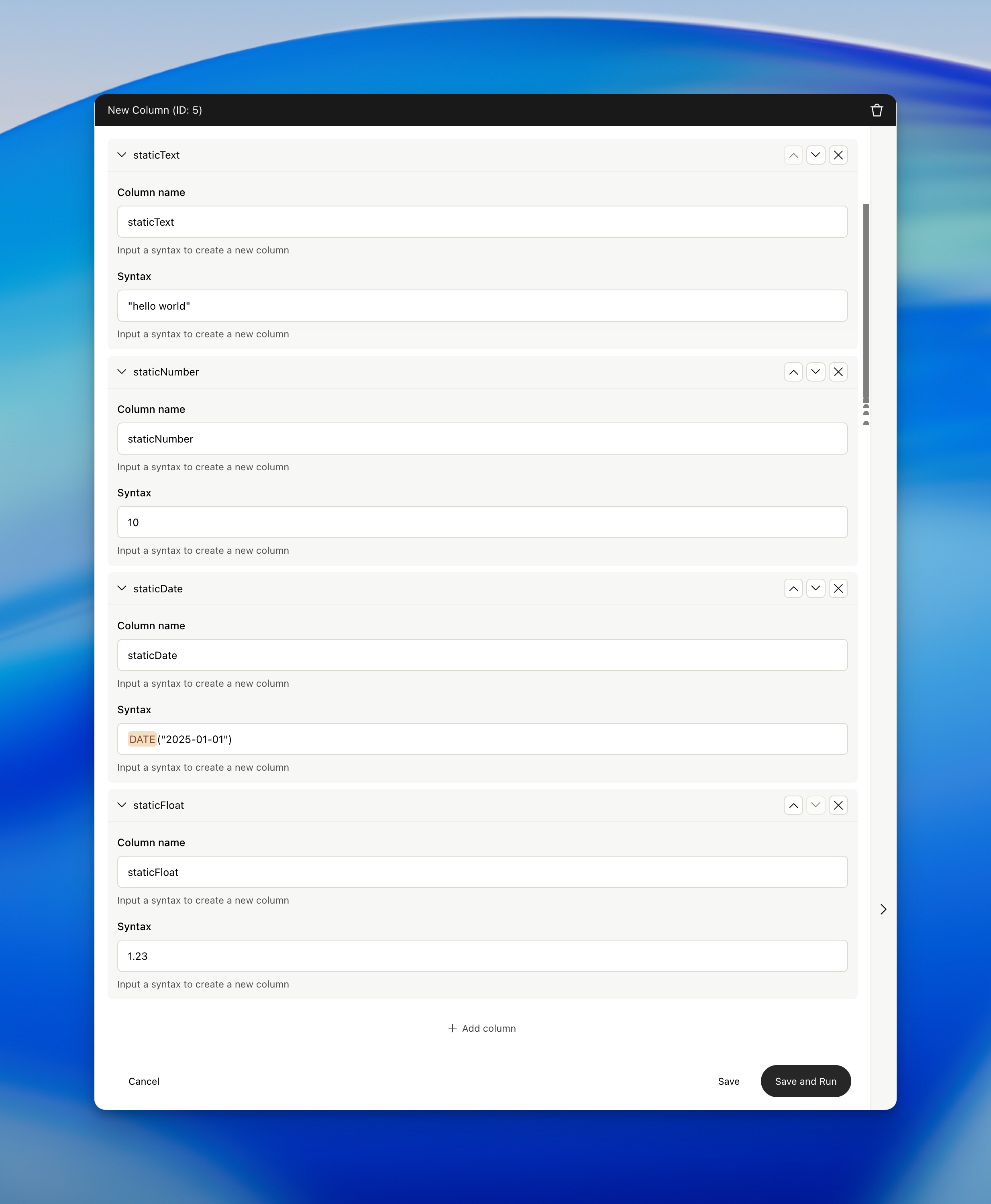
Example: Conversion to date and date difference
You can easily convert a column to a date and use date difference with the syntax field. Here’s an example of doing both simultaneously.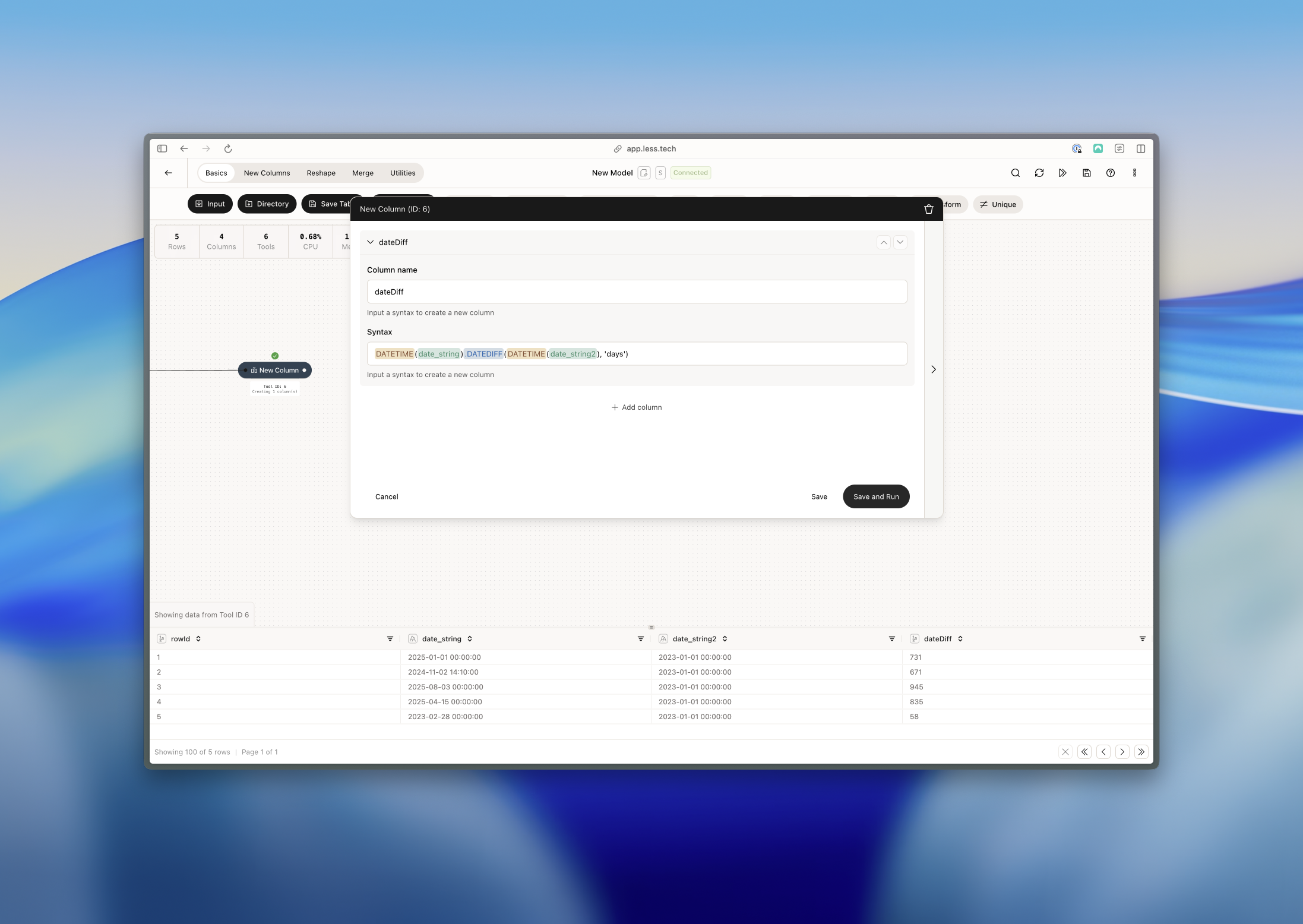
Example: Coalesce and transforming to an integer
You can use coalesce to consolidate columns into a single column. It takes the first non-null value from the columns you specify.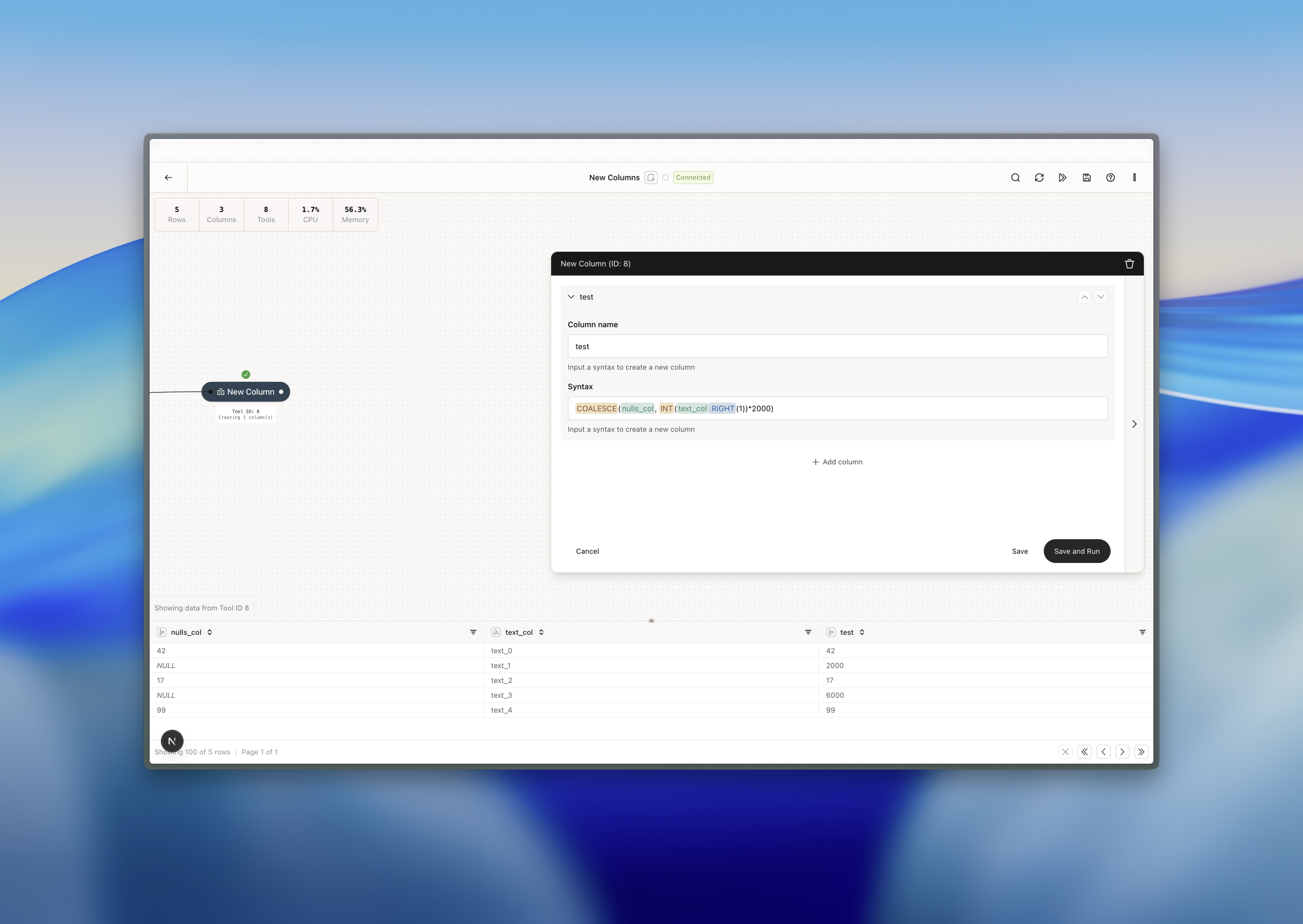
Example: Working with parameters
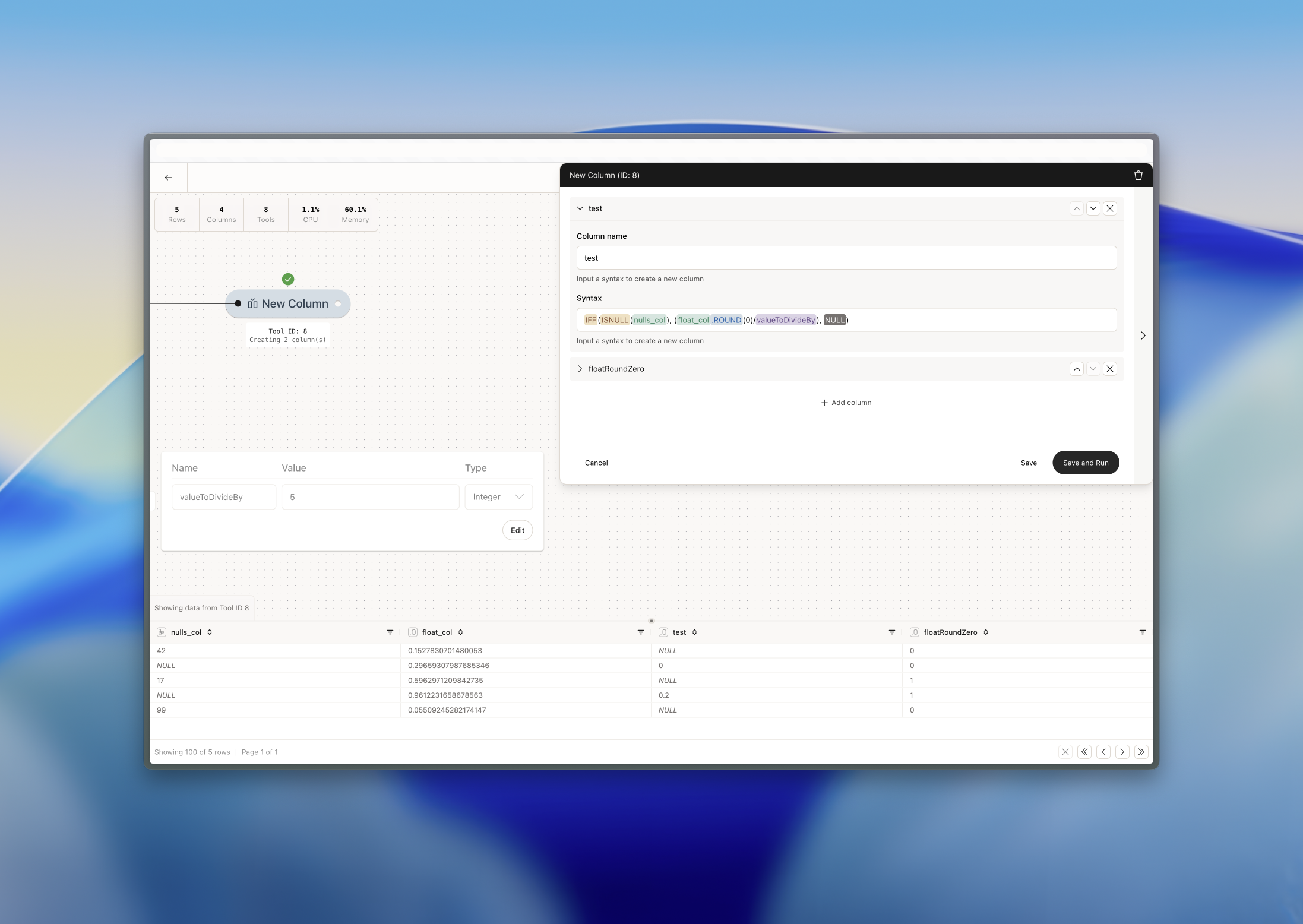
You can also use parameters to create new columns. In the example below, we’ve done the following:- Created a parameter called valueToDivideBy and given it an integer value of 5
- We use an IFF (conditional statement) function in the syntax
- First we say, if the nulls_col is null…
- …then give us the rounded float_col to one decimal and divide it by our valueToDivideBy (which is 5 in this case)
- …otherwise, create a NULL value