

Configuration
1
Add prefix
Select the column you want to extract text from with Regex
2
Rank columns
The Regex tool will create a new column. Use this input to name it.
3
Rank method
Choose how tied values should be ranked: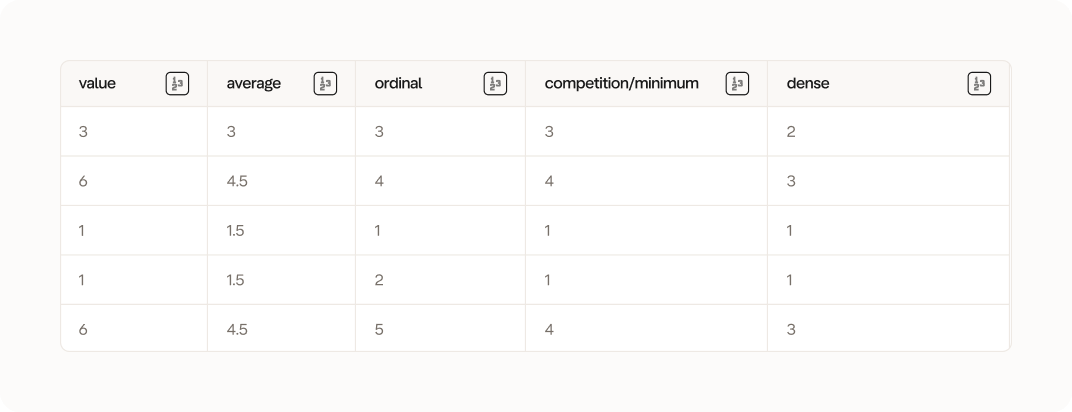
- Average: Tied values receive the average of the ranks they would have occupied. For example, if two values tie for 2nd and 3rd place, both get rank 2.5.
- Ordinal: Each value gets a unique rank based on its position in the original order, even if values are identical.
- Competition/Minimum: Tied values all receive the best (lowest) rank they would have gotten. For example, if two values tie for 2nd and 3rd place, both get rank 2.
- Dense: Similar to minimum ranking, but ranks are consecutive with no gaps. If two values tie for 2nd place, the next value gets rank 3 (not rank 4).
4
Group by (optional)
Optionally group the ranking within categories defined by another column