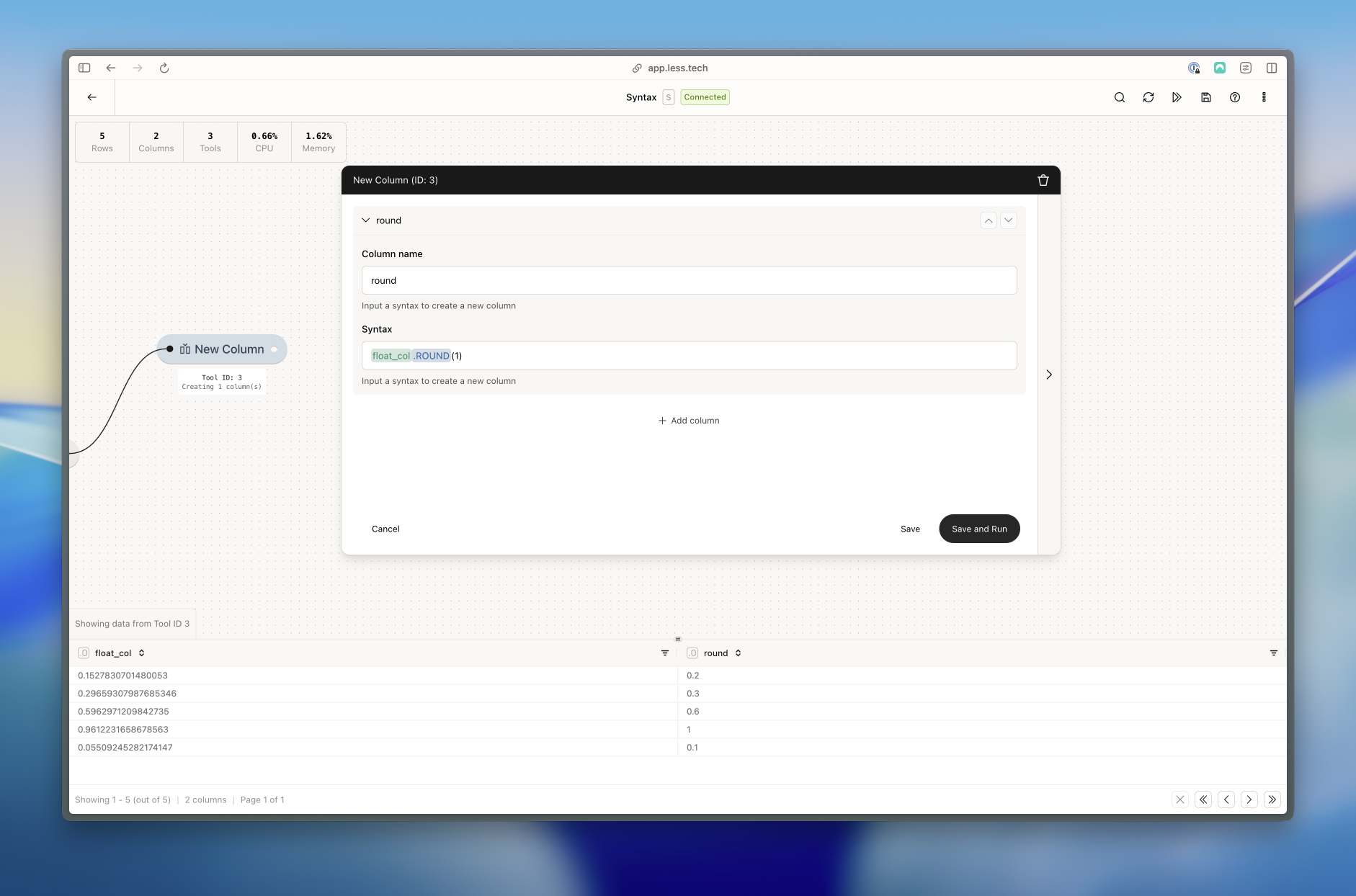
Rounds a number to a specified number of decimal places. Can only be used on Decimal columns or expressions that return a decimal.
ROUND function

Rounding float_col to 1 decimal places

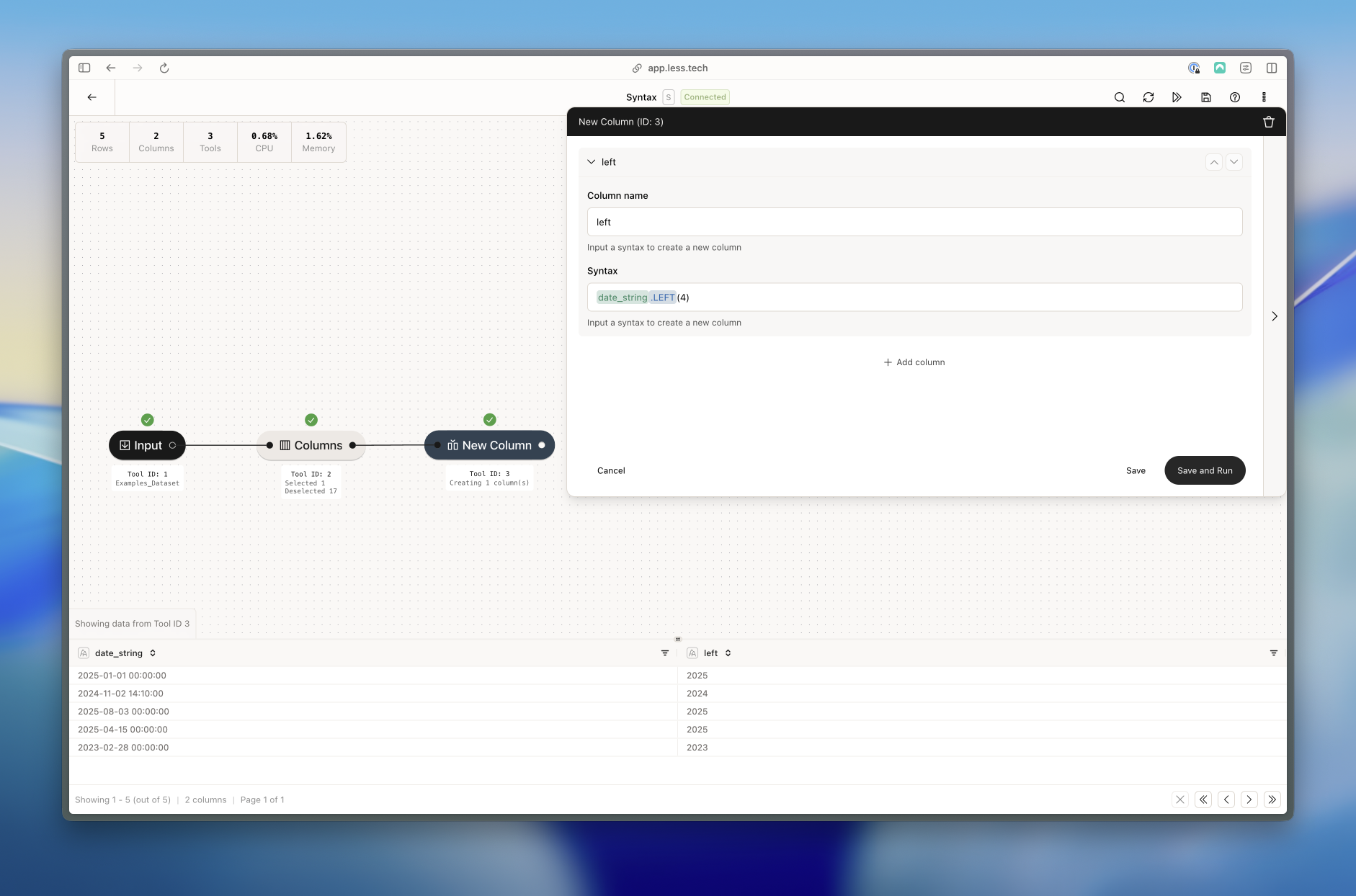
Returns the leftmost n characters of a string. Can only be used on String columns or expressions that return a string.
LEFT function

Getting the leftmost 4 characters of date_string - i.e. the year

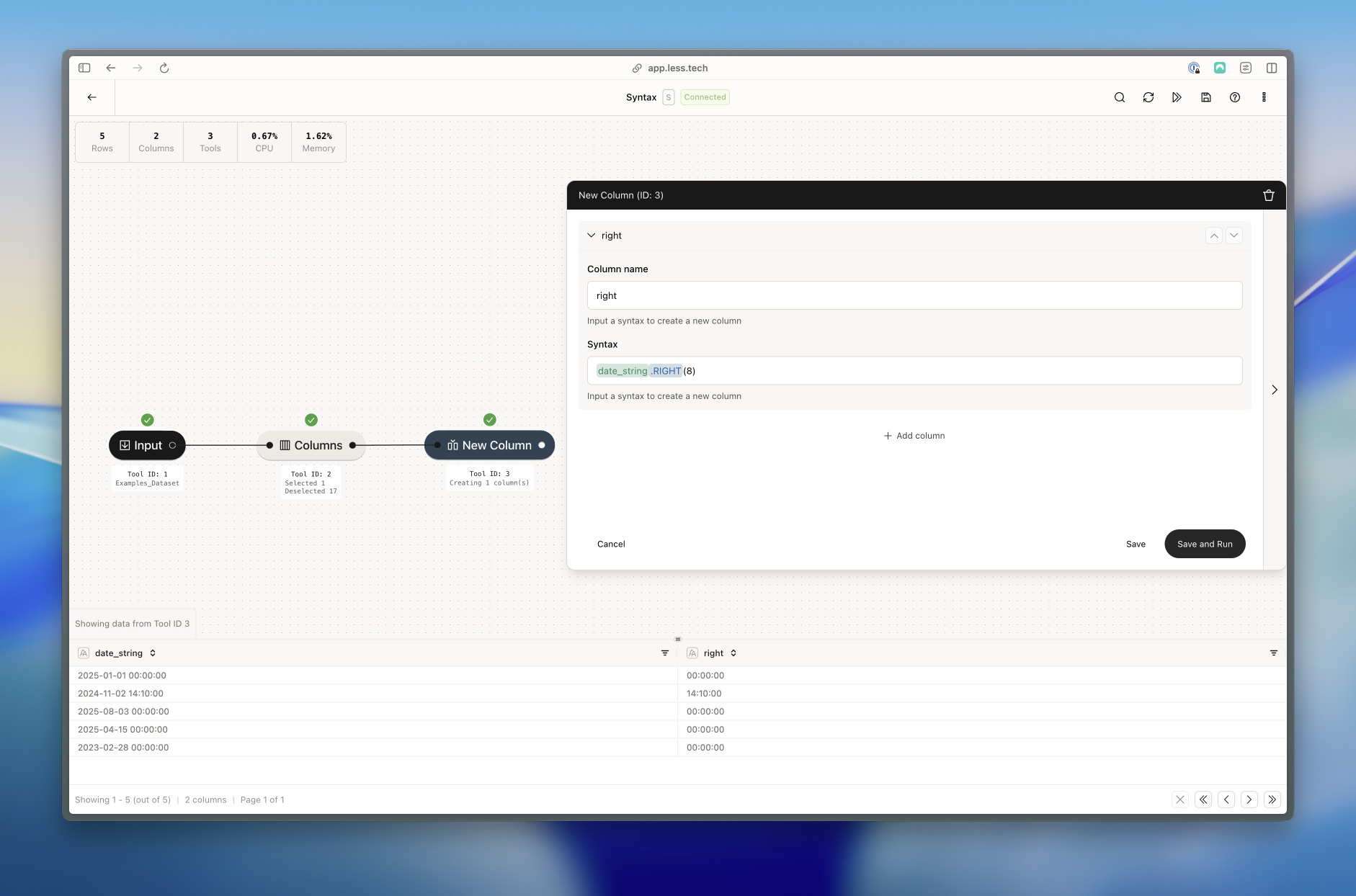
Returns the rightmost n characters of a string. Can only be used on String columns or expressions that return a string.
RIGHT function

Getting the rightmost 8 characters of date_string - i.e. the timestamp

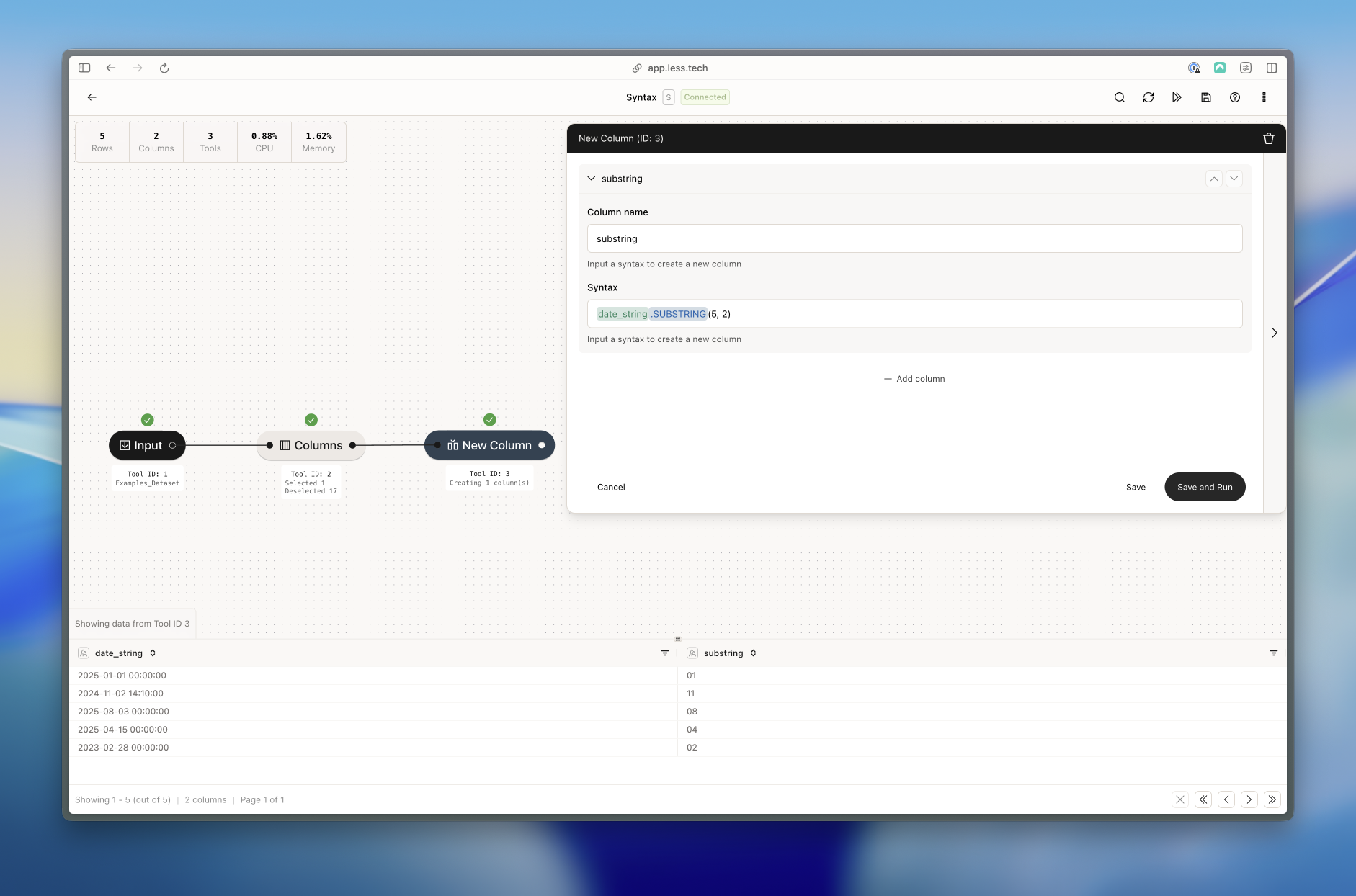
Returns the substring of a string. Can only be used on String columns or expressions that return a string. A substring is a range of characters within a string.
SUBSTRING function

Getting the substring of date_string from index 6 with a length of 2 - i.e. the month

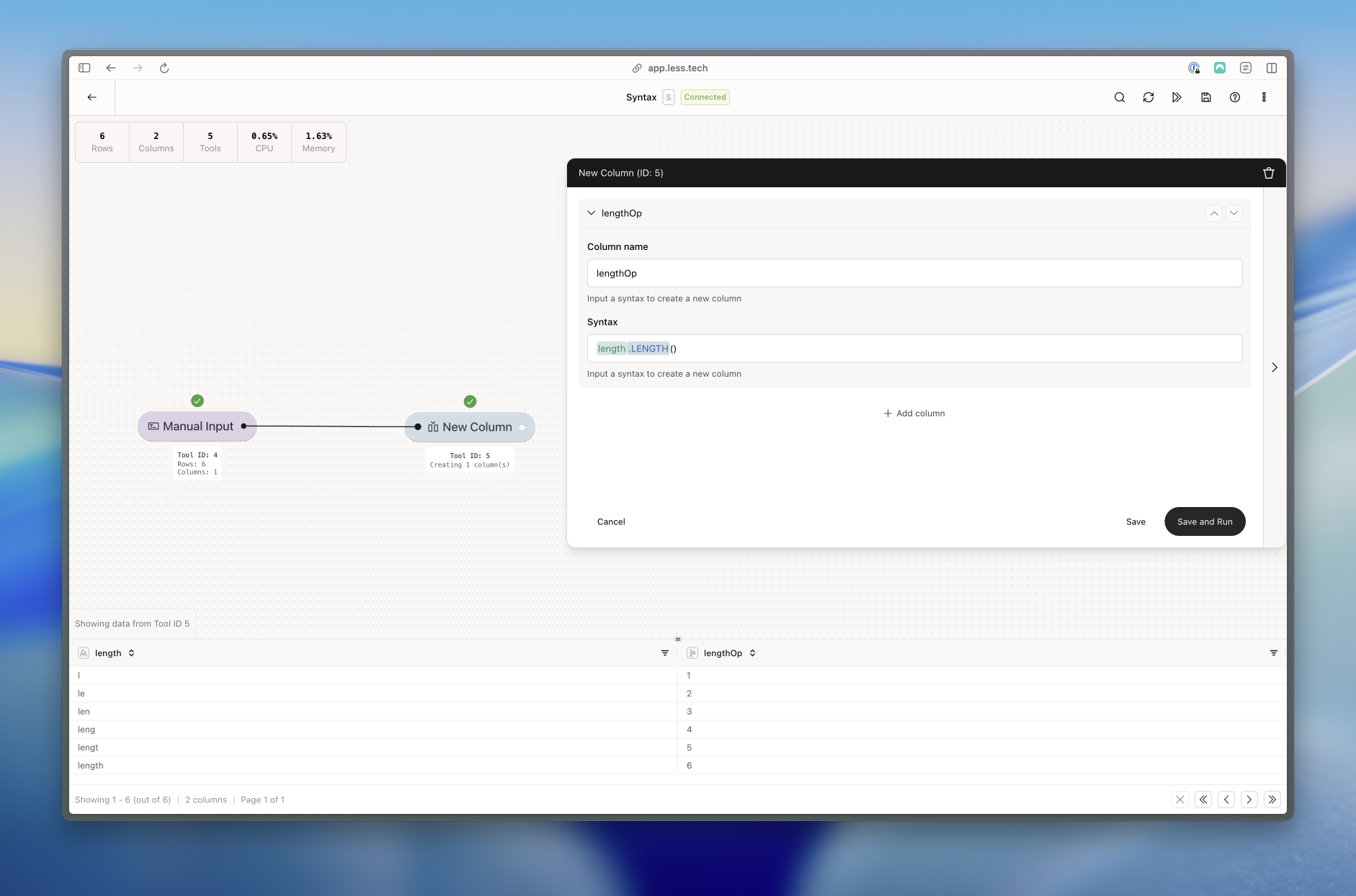
Returns the length of a string. Can only be used on String columns or expressions that return a string.
LENGTH function

Getting the length of string_col

Adds or subtracts a number of days, weeks, months, etc to a datetime column. Can only be used on Datetime columns or expressions that return a date. The ‘units’ must be an integer. The unit can be:
  1. ‘seconds’
  2. ‘minutes’
  3. ‘hours’
  4. ‘days’
  5. ‘weeks’
  6. ‘months’
  7. ‘years’
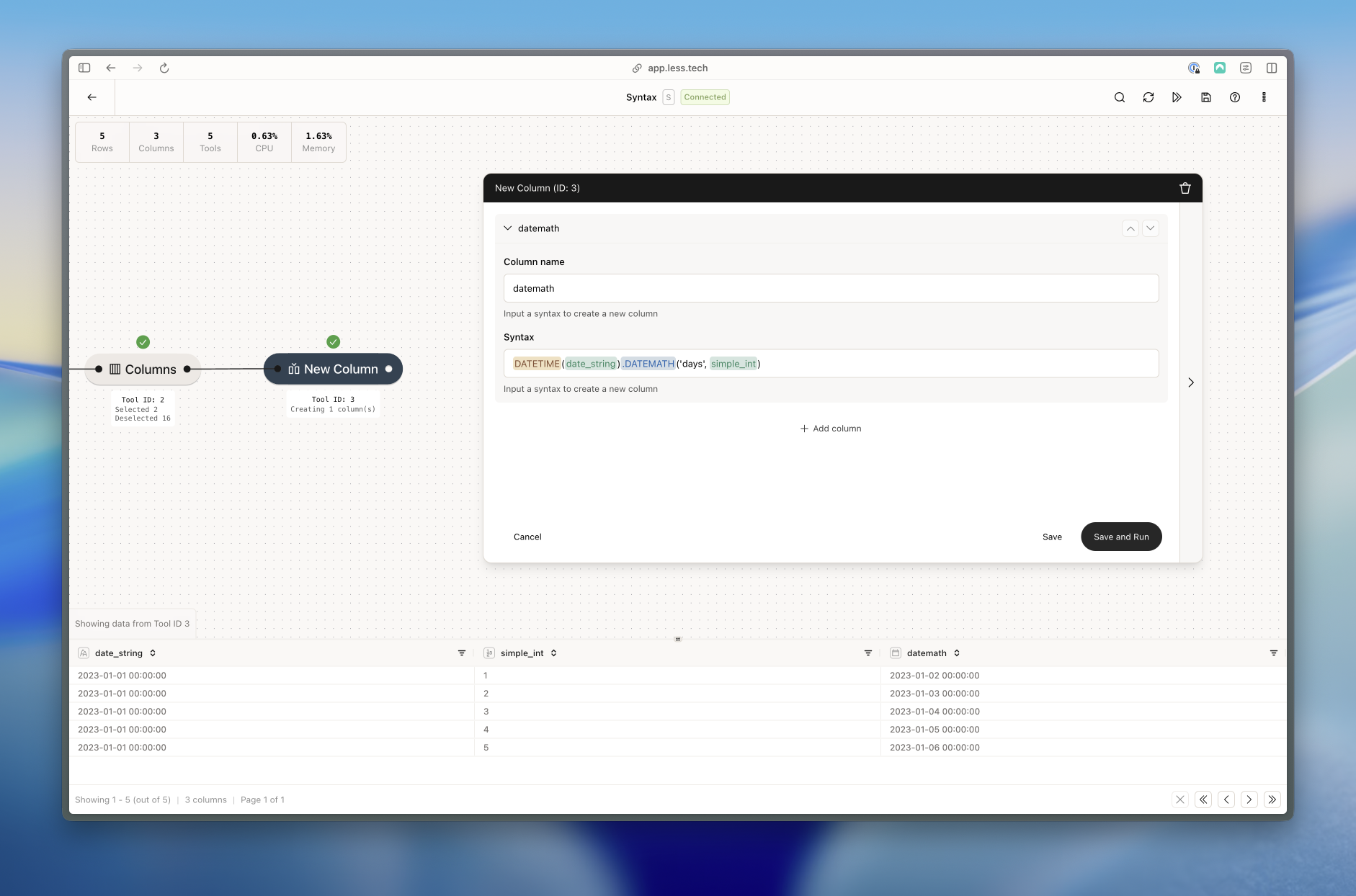
DATEMATH function

Adding the integer value of _simple_int column as days to date_string column after turning it into a datetime. You could also have added a static number (e.g. 10) of days instead of using the _simple_int column.

Get the difference in duration between two datetime columns or expressions that return a date. Can only be used on Datetime columns or expressions that return a date. The ‘units’ must be an integer. The unit can be:
  1. ‘seconds’
  2. ‘minutes’
  3. ‘hours’
  4. ‘days’
  5. ‘weeks’
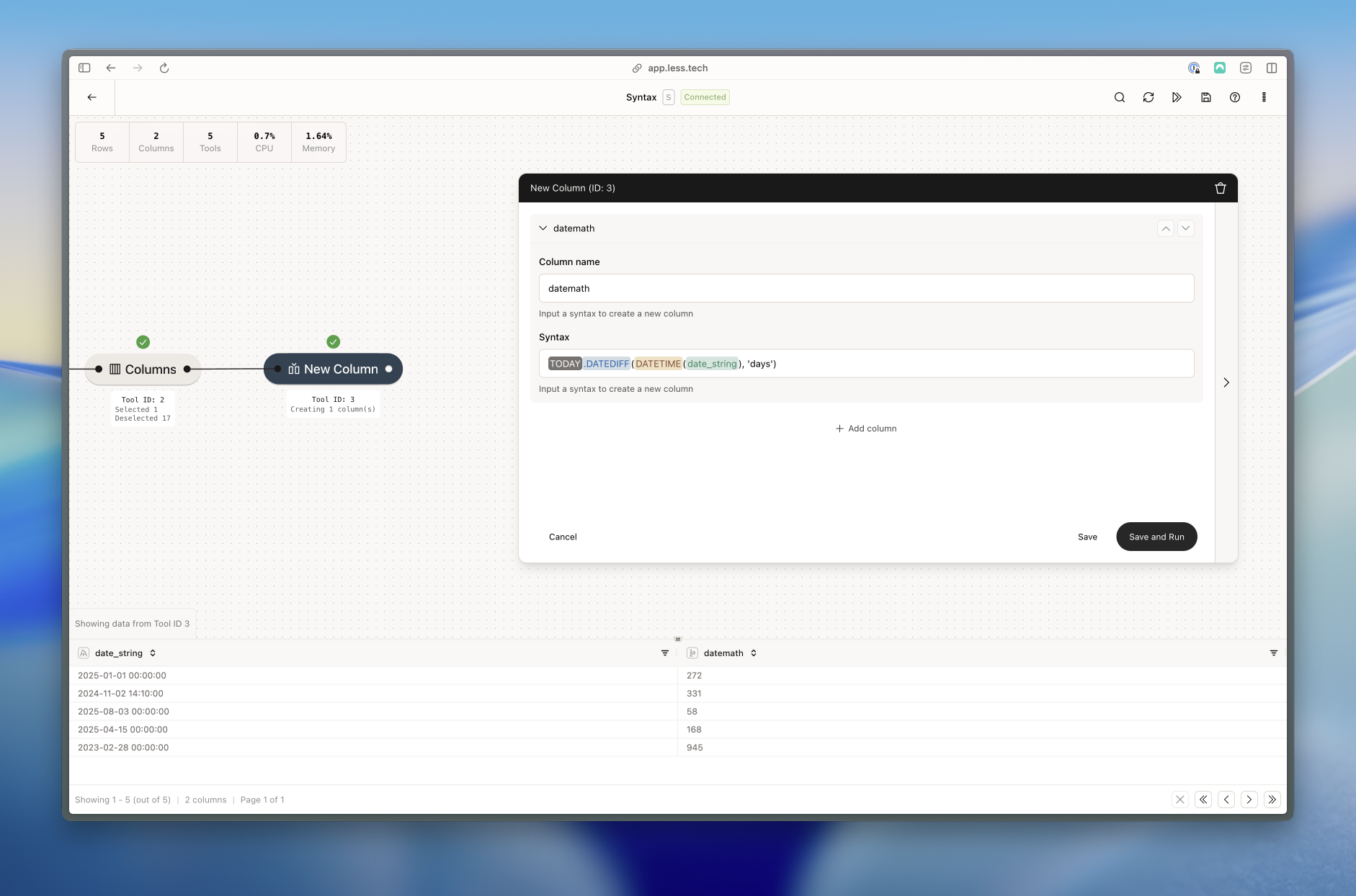
DATEDIFF function

Getting the difference in days between a dynamic TODAY constant and the date_string after turning it into a datetime

Truncates a datetime column to a specified interval. Can only be used on Datetime columns or expressions that return a date. An example could be truncating to years which for 2025-08-01 would return 2025-01-01.
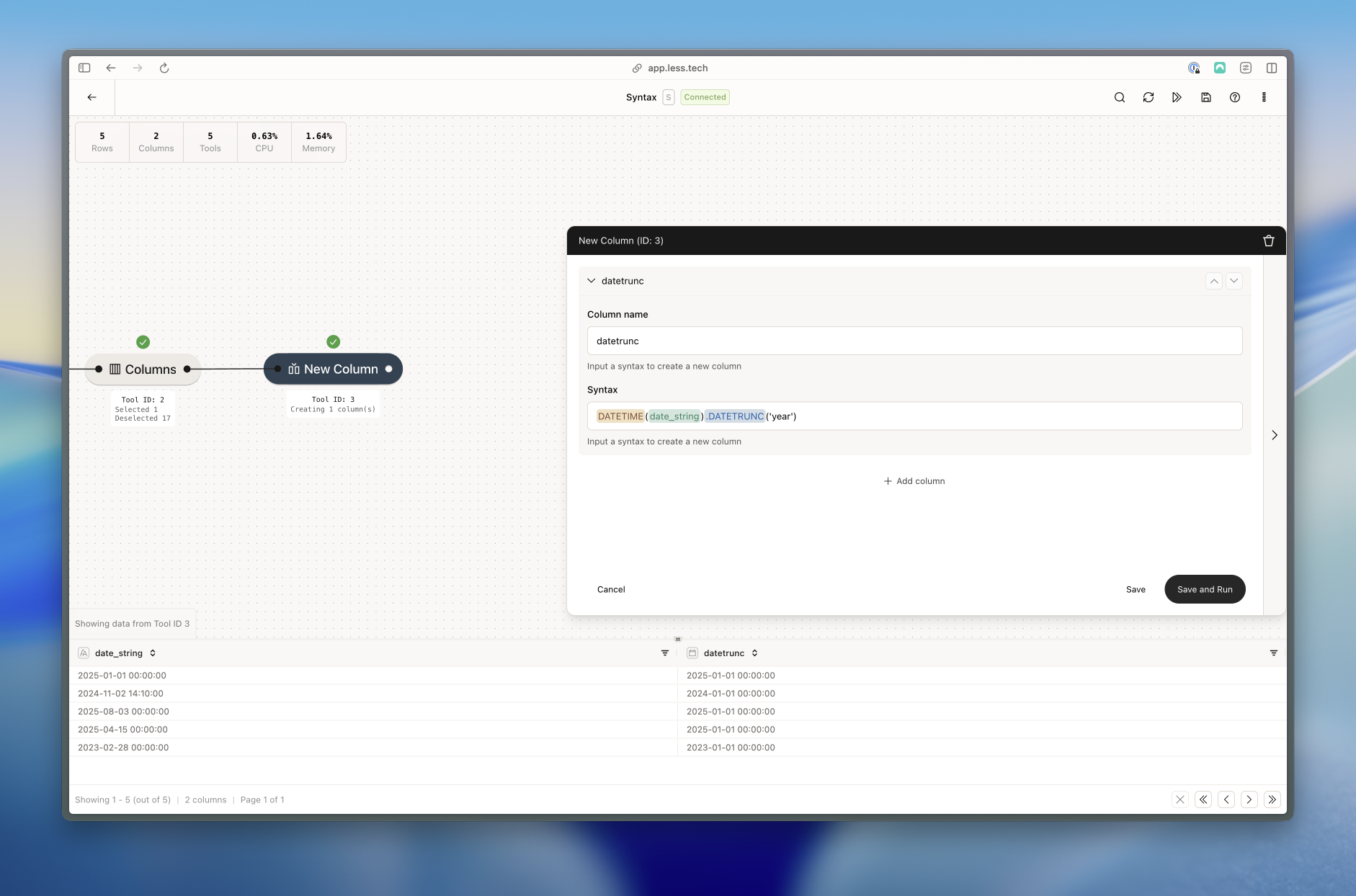
DATETRUNC function

Truncating date_string to years after turning it into a datetime

Returns the UPPERCASE of a string. Can only be used on String columns or expressions that return a string.
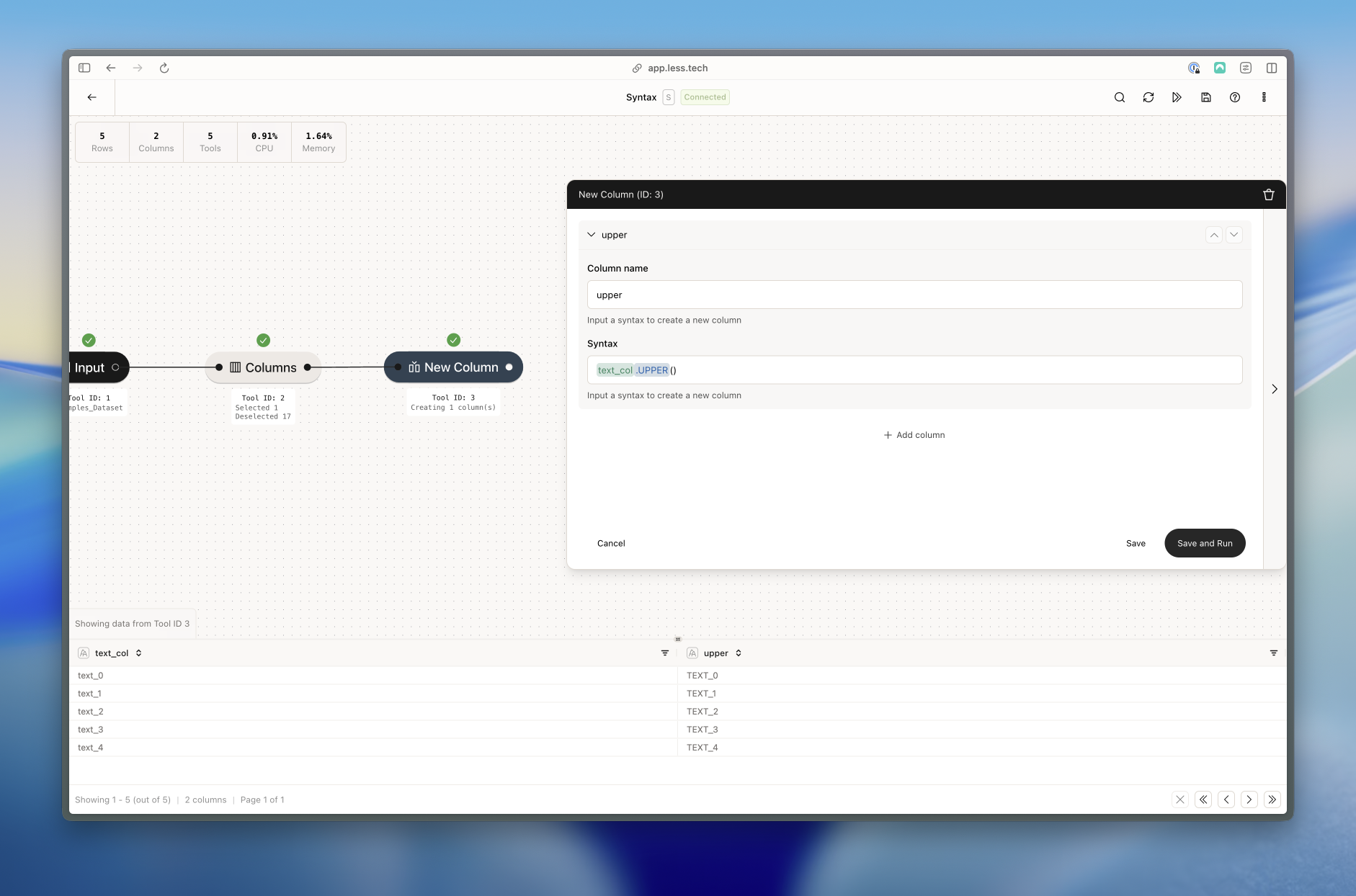
UPPER function

Getting the UPPERCASE of text_col

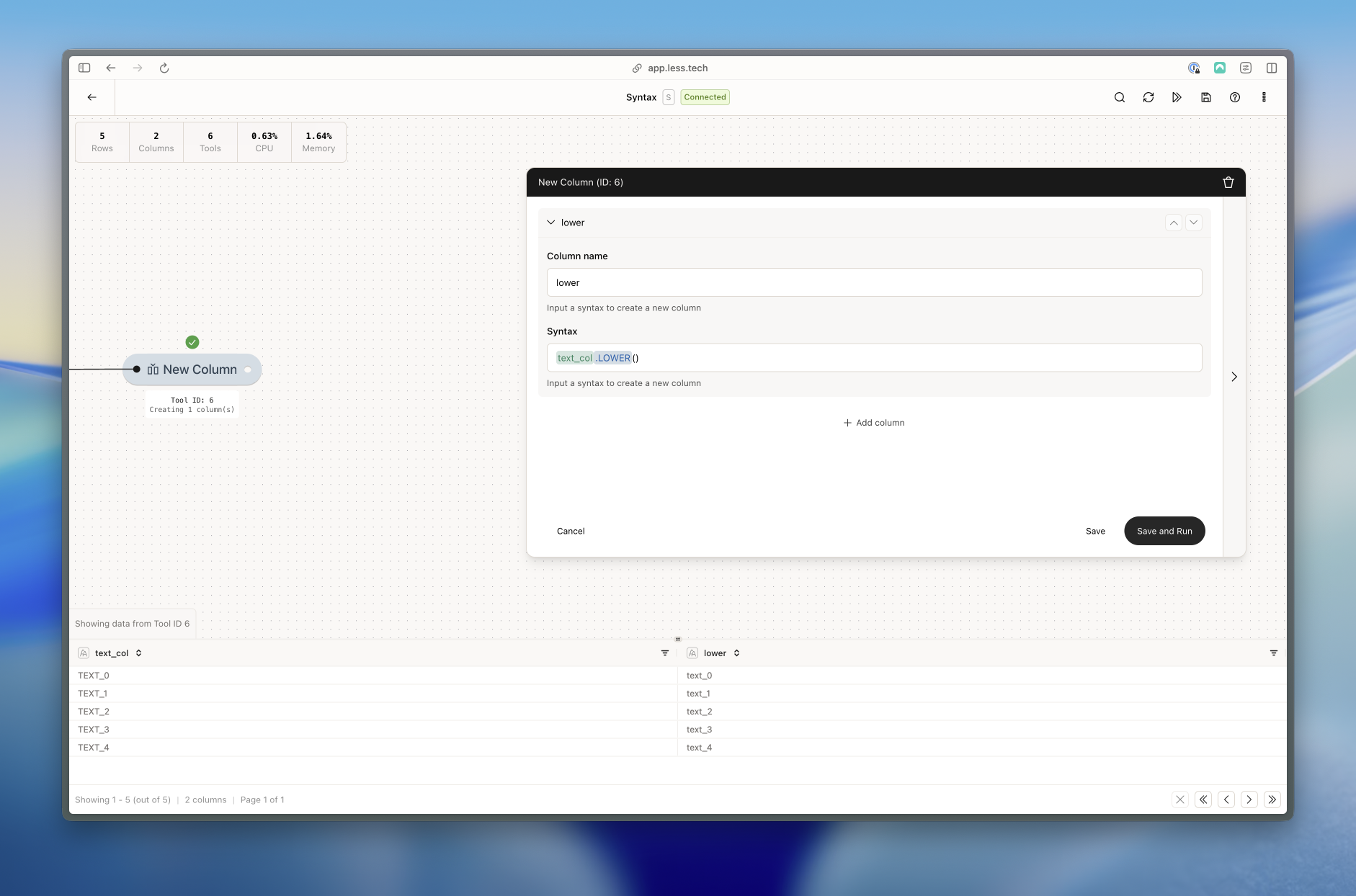
Returns the LOWERCASE of a string. Can only be used on String columns or expressions that return a string.
LOWER function

Getting the LOWERCASE of text_col

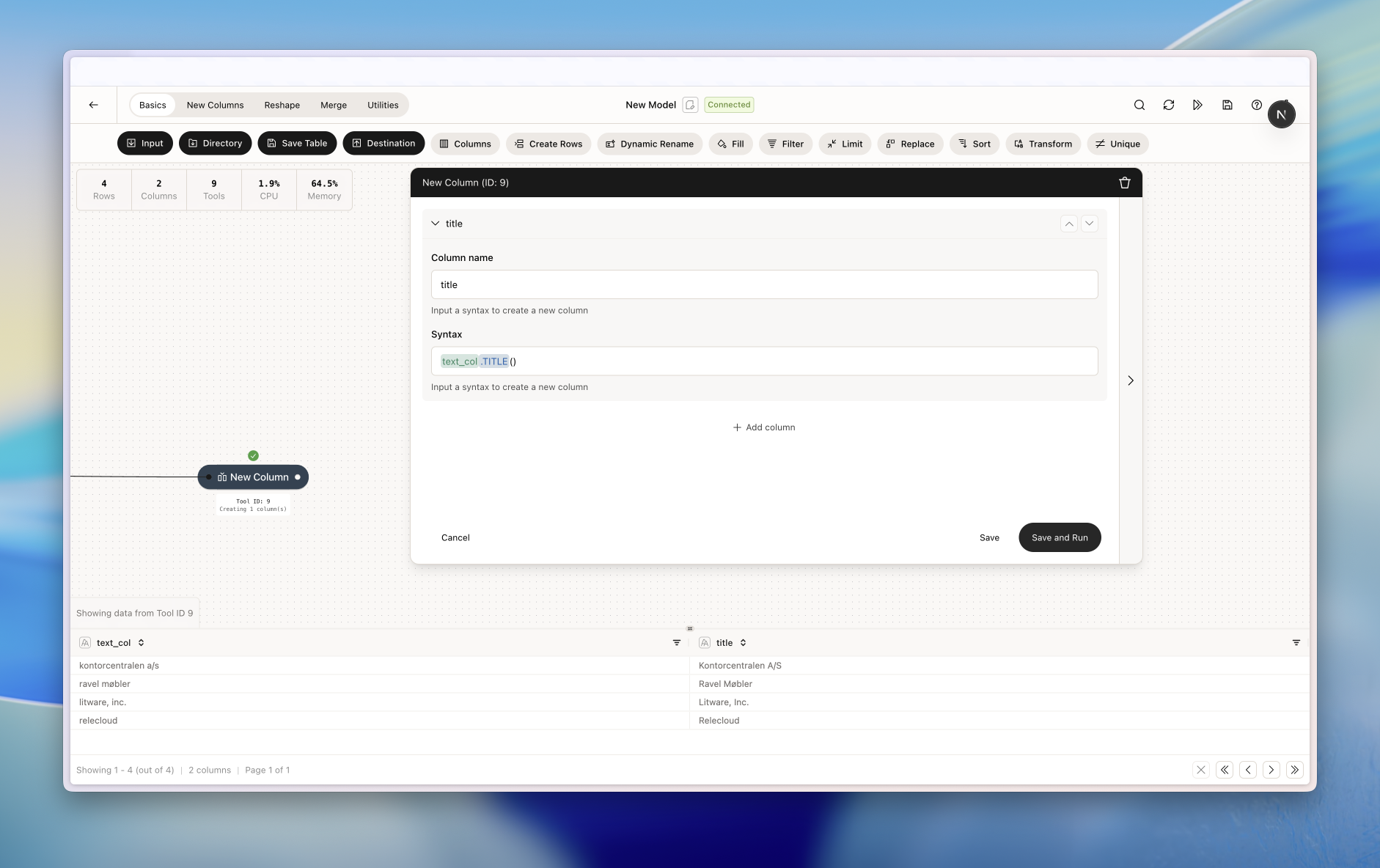
Returns the title case of a string. Can only be used on String columns or expressions that return a string.
TITLE function

Getting the Titlecase of text_col

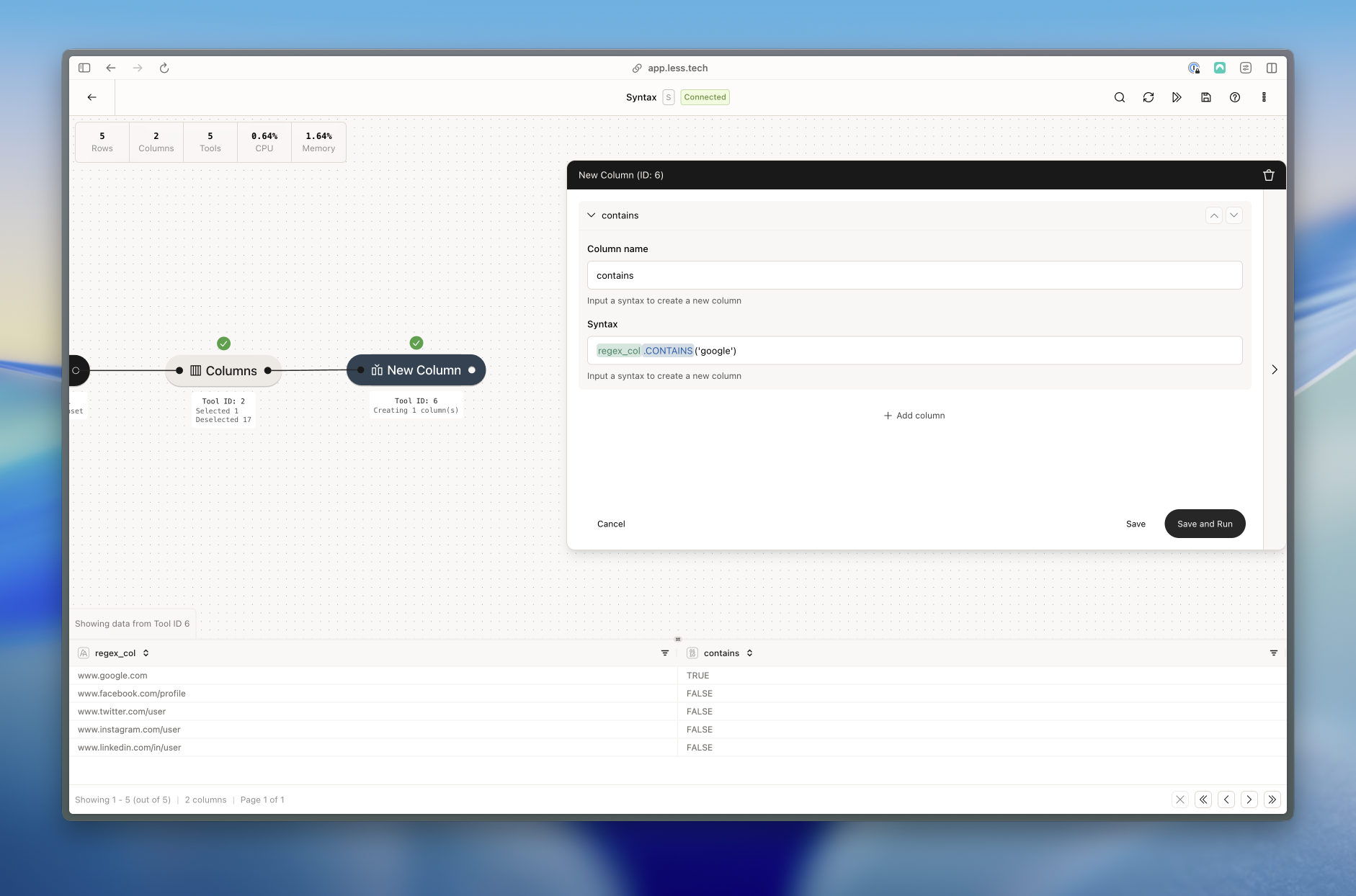
Checks if a string literal exists in a string column or expression that returns a string. Returns a boolean (true or false).
This function is case-sensitive.
CONTAINS function

Checking if the string literal 'google' exists in the regex_col column

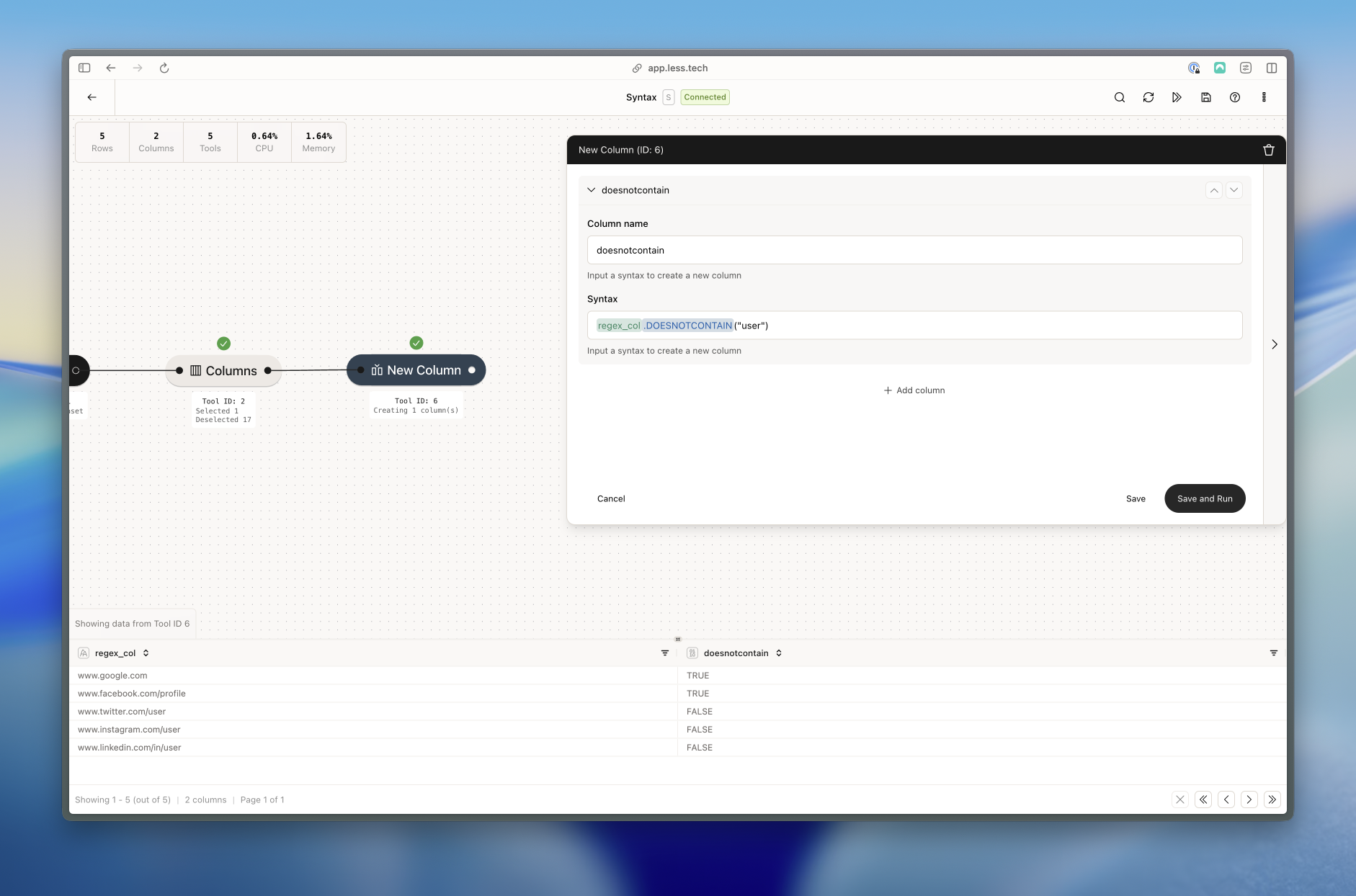
Checks if a string literal does not exist in a string column or expression that returns a string. Returns a boolean (true or false).
This function is case-sensitive.
DOESNOTCONTAIN function

Checking if the string literal 'google' does not exist in the regex_col column