Adding documentation to your models is a great way to improve the understanding of your models and the data they produce. There are two ways to add documentation to your models: using the tool annotations and using the Comment tool.

Using the tool annotations

The tool annotations are helpful to add tool-specific documentation to your models. Annotations are attached to the tool itself and hence cannot be removed from the tool.
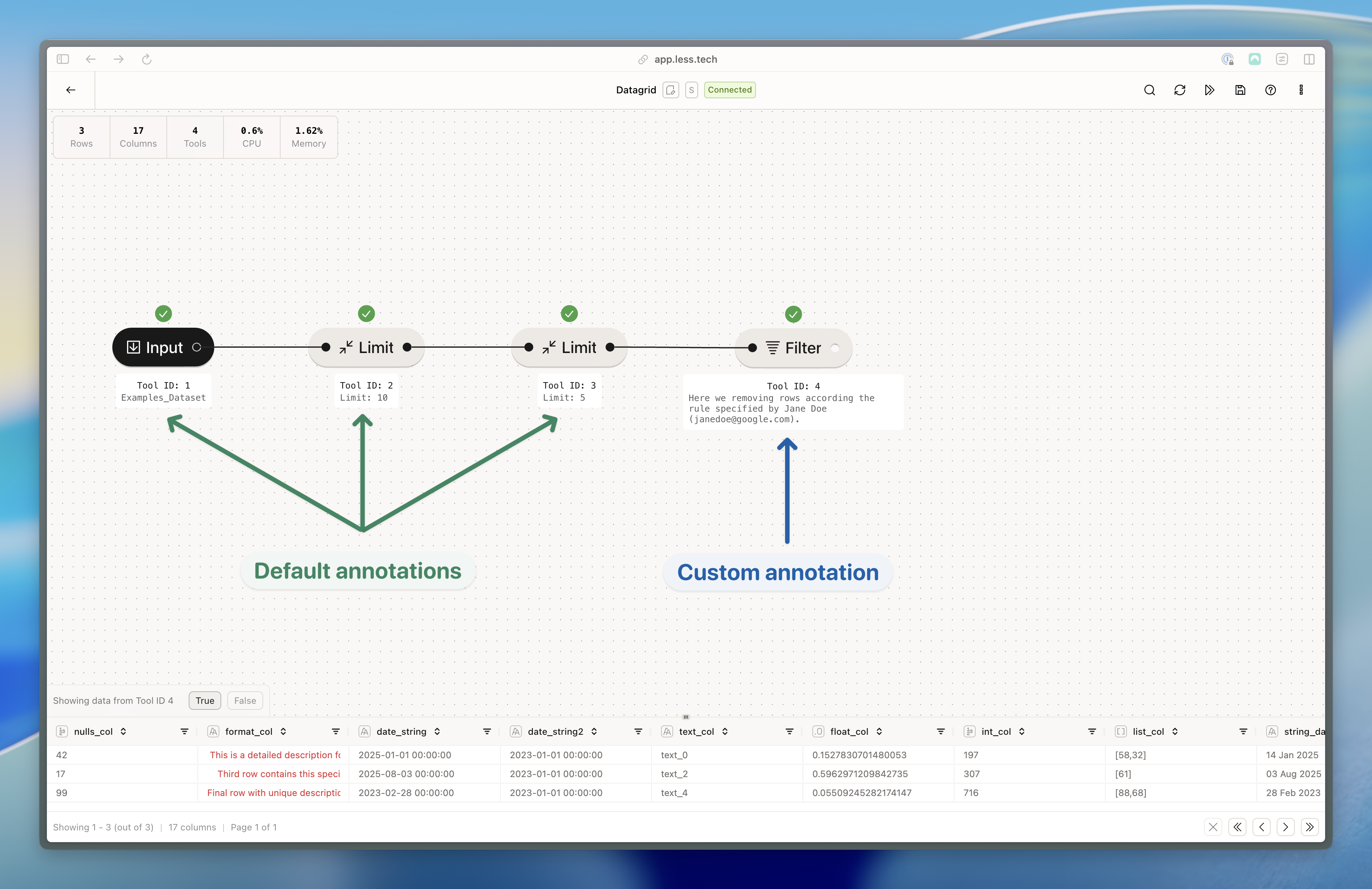
Tool annotations

Default annotations are automatically added to the tool but you can overwrite them with your own documentation.
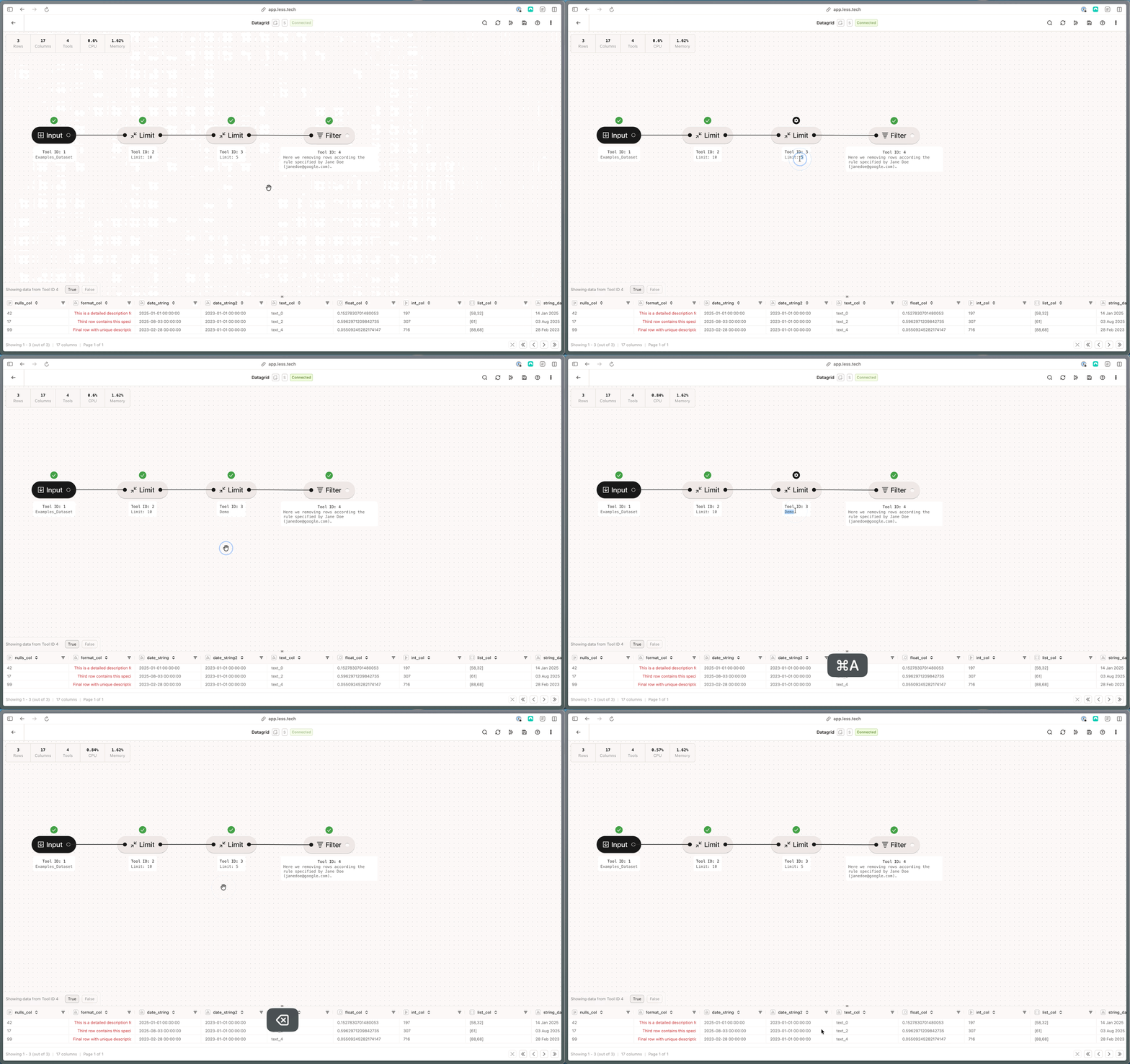
You can easily change the default annotations with your own documentation. If you remove your custom annoation, it reverts to the default.
Tool annotations
In the “options” menu in the top right corner, you can choose whether you want to show 1) all annotations, 2) none or 3) custom annotations only.

Using the Comment tool

The Comment tool is a great way to add documentation across multiple tools. Read more Comment tool here.
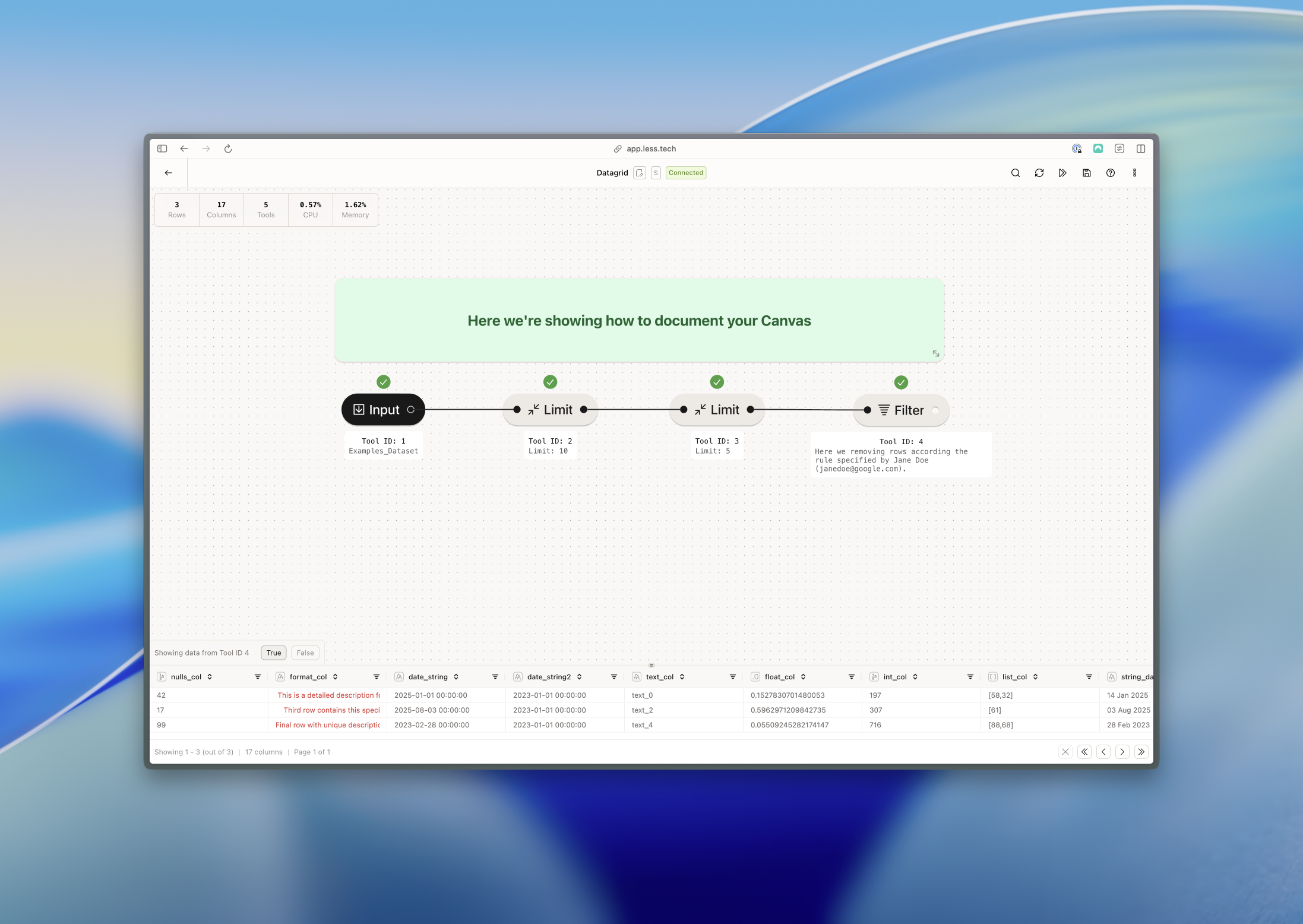
Comment tool