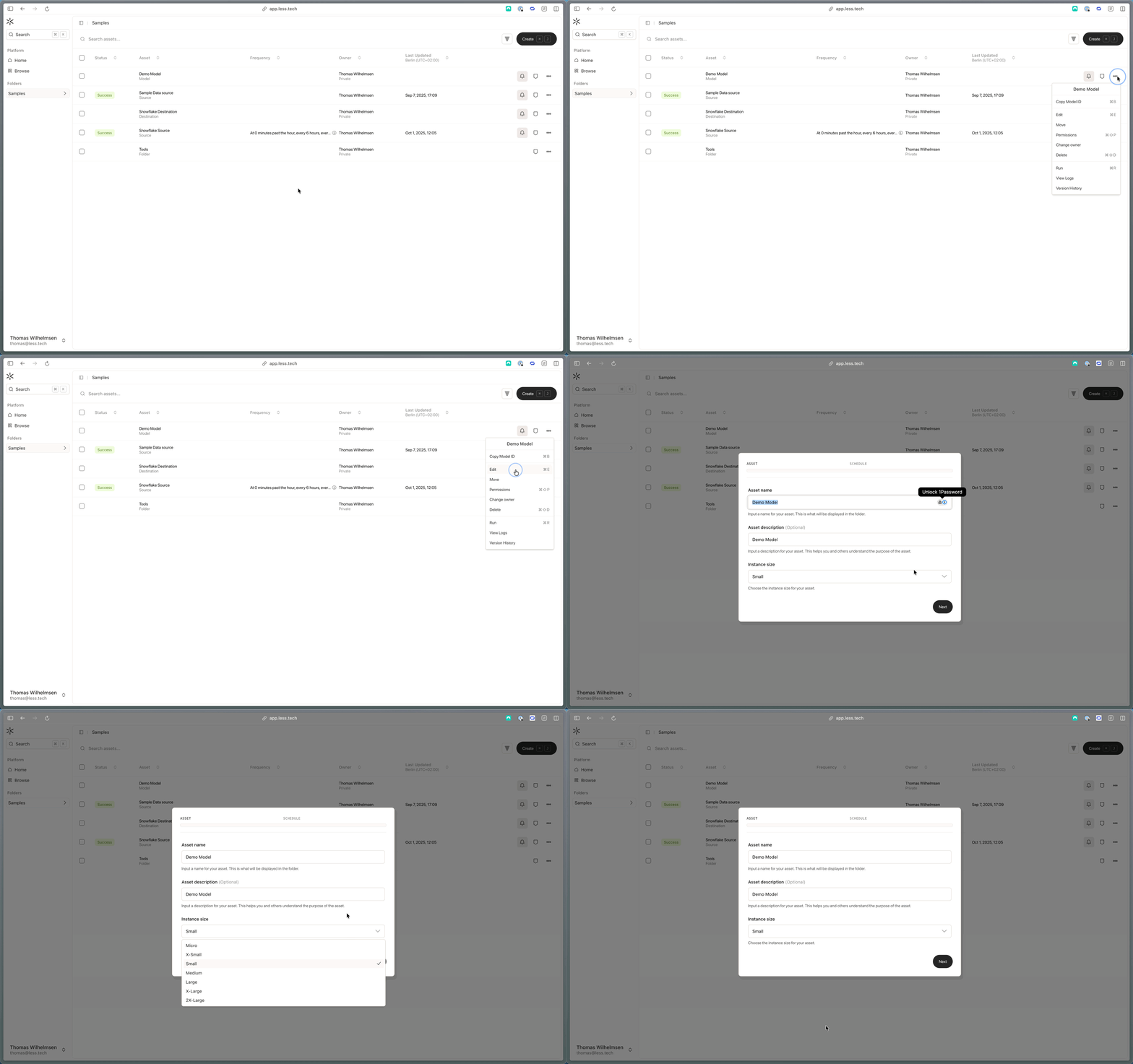
Instances and Credit usage
You spend credits faster on larger instances. On a Micro instance, you will use 0.1 credits per hour. On a X-Large instance, you will use 8 credits per hour.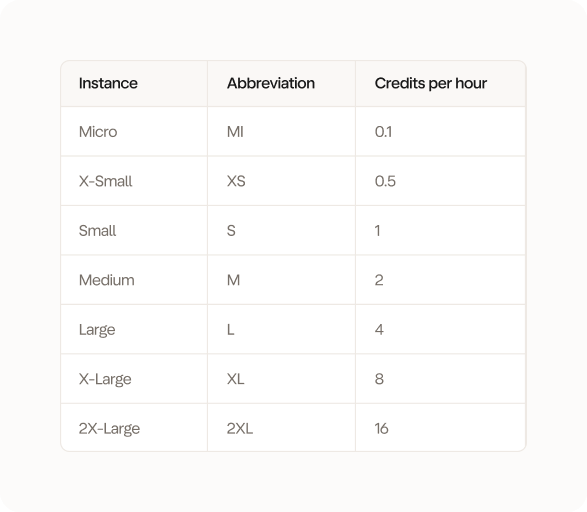
- You use a Micro instances for 10 hours on the Canvas. You will use 10 * 0.1 credits = 1 credit
- You use a X-Large instance for 26 minutes on the canvas. You will use 26/60 * 8 credits = 3.46 credits
- You have a source that updates every hour. It runs for 4 minutes on a Medium instance. You will use 4/60 * 2 credits = 0.13 credits for each job and 0.1333 * 24 = 3.2 credits for the day (i.e. 24 jobs)
- You have an orchestration that runs once per day. The orchestration runs for 7 minutes and activates 2 jobs:
- Job 1 runs for 3 minutes on a Medium instance. You will use 3/60 * 2 credits = 0.1 credits
- Job 2 runs for 4 minutes on a Small instance. You will use 4/60 * 1 credits = 0.06 credits
- Your orchestration job runs for 7 minutes on a Micro instance. You will use 7/60 * 0.1 credits = 0.01 credits
- You will use 0.1 + 0.06 + 0.01 = 0.17 credits per run
Canvas
When you open new model, we create a session for you. You can see which session you’re using next to the title. You can track how much power you’re utilising of that instance with the metrics (see below).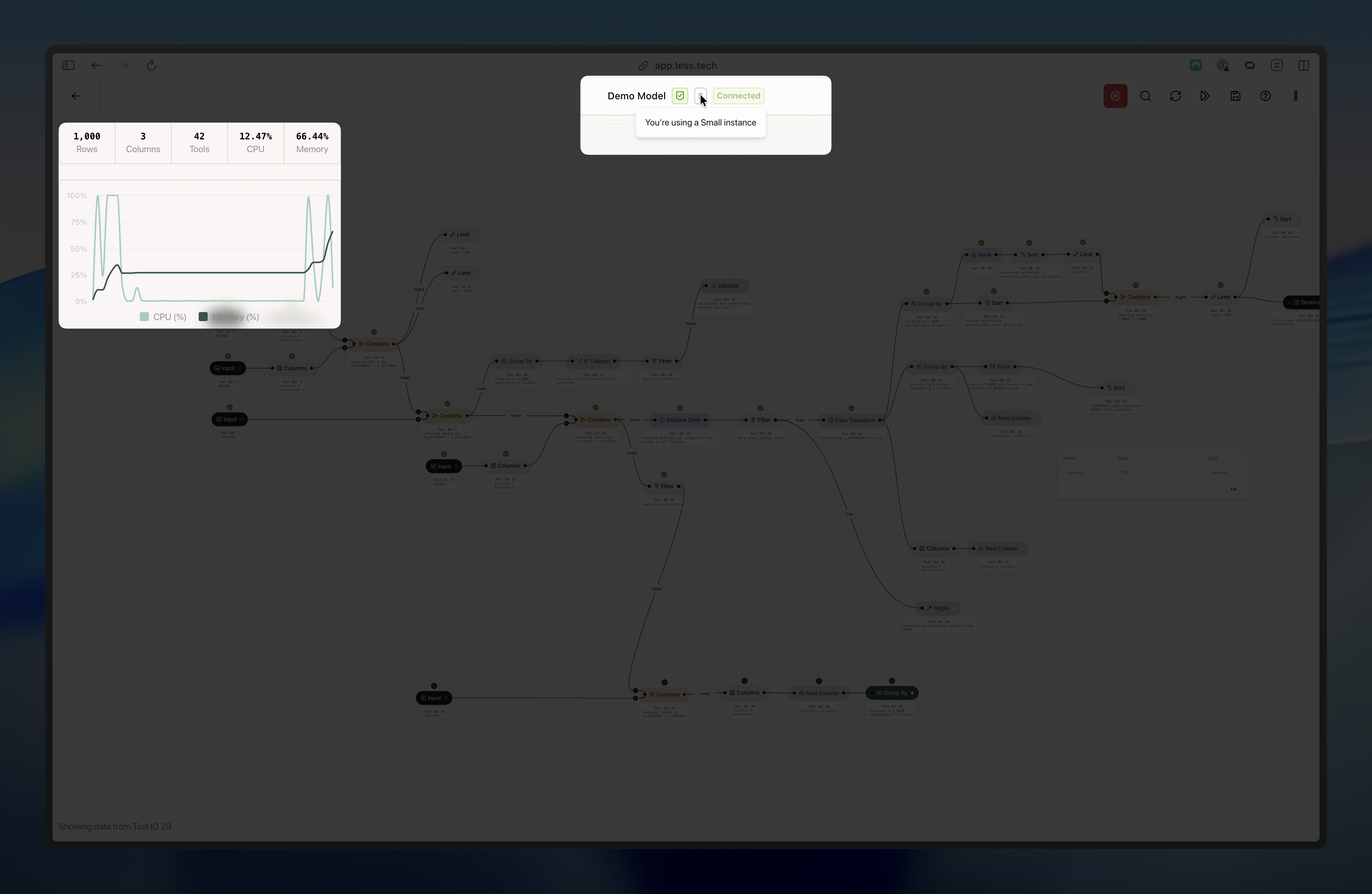
Jobs
When you schedule a source, model or orchestration to run, it becomes a job. Every time it runs, it uses credits. You can choose which instance to use for your job when editing a source or a model. Orchestrations always use a micro instance to run (obviously the individual jobs use their own specified instances - think of the orchestration as a “background”/meta job).