Skip to main contentYou’ll very often find yourself working with dates. In this lesson, we’ll cover a number of the different tools you can use to do that in Less.
We’ll show you how you can use a Date Transform tool to get a certain format out of a date column; how to use a Date Difference tool to get the difference between two dates; why the Count Business Days tool is perhaps better; we’ll demonstrate a Date Math tool to add or subtract a number of days from a date.
Exercise
We’re working with the first 1.000.000 rows in the LINEITEM dataset (limit this in the Input tool) and you want to get the result shown below.
We’re starting to get to a point where you can solve the exercises in a number of different ways. We used the Combine, Count Business Days, Date Transform, IF Column, Group By and Filter tools, but maybe you’ll come up with a different way.
We ended up with 2 rows and used 13 tools to get the result.

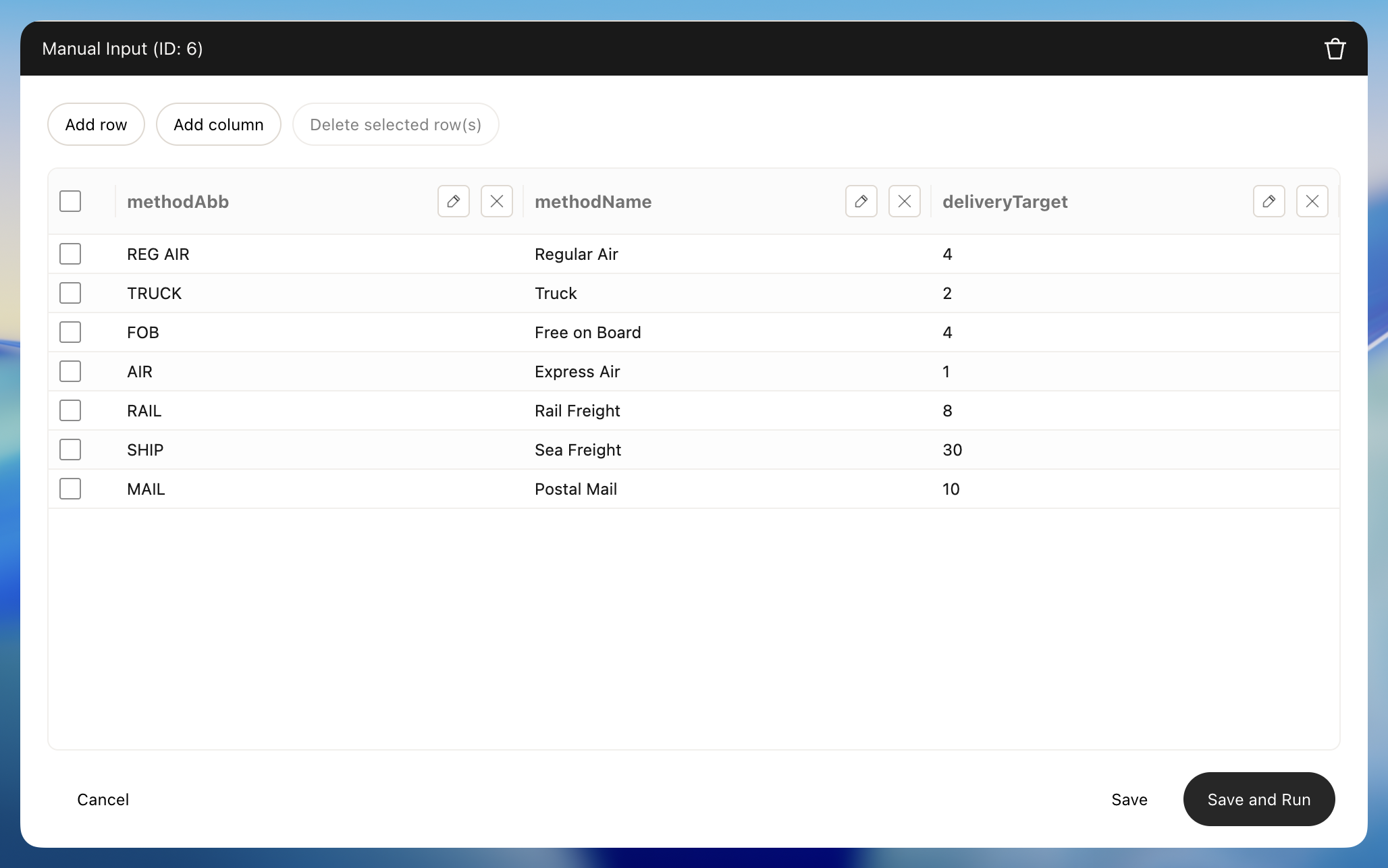
We’re interested in seing how many of our orders have been delivered late in 1995 and 1996. To do that, we created some arbitrary targets for each of our shipment modes with a Manual Input tool that look like this:
An order is late if the number of business days between the SHIPDATE and RECEIPTDATE columns is greater than the target for the corresponding shipment mode (if is often the keyword for a IF Column tool)
Note that we’re using Holidays in the US with all optional Holiday Categories turned on (Count Business Days tool)
You probably also want to use the Combine tool to merge this made up dataset with our deliveryTargets with the LINEITEM dataset.
Solution