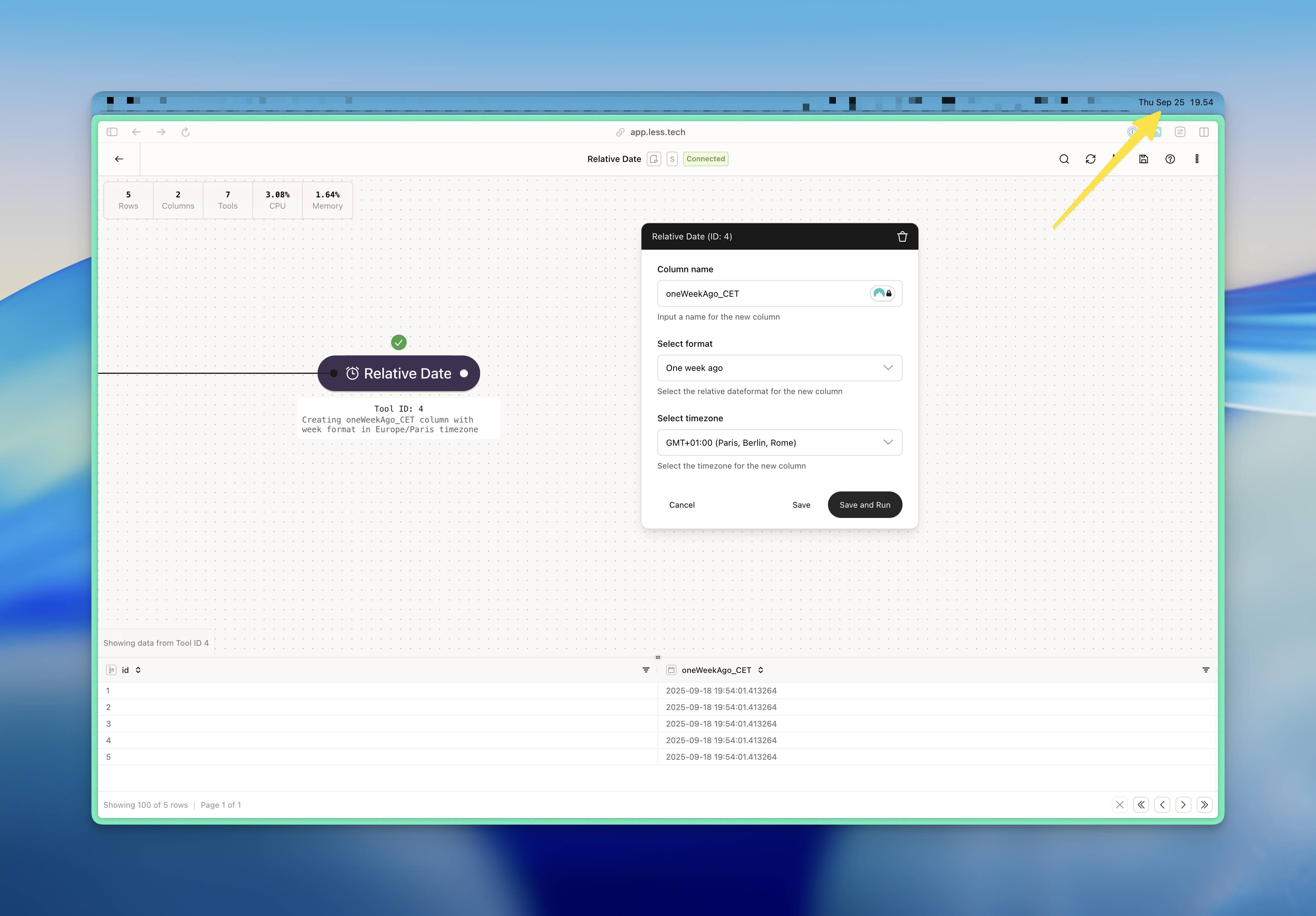
Configuration
1
Column name
The Today tool will create a new column. Use this input to name it.
2
Select format
Select the format that you want the current date and time to be formatted
in. You can choose between the following formats:
- Now: outputs the current date and time
- Now (date): outputs the current date (at midnight, i.e. without the specific time)
- Now (time): outputs the current time
- Yesterday: outputs the current datetime minus 1 day (i.e. yesterday at this specific time)
- One week ago: outputs the current datetime minus 1 day
- One month ago: outputs the current datetime minus 1 month
- One year ago: outputs the current datetime minus 1 year
3
Select timezone
Select the timezone that you want the current date and time to be formatted
in. All timezones are available in the dropdown.
Example
In this example, we want a reference date that always references one week ago in GMT+01:00 (CET). Note the current date and time is 2025-09-25 19:54:00 in CET whereby we get a result of 2025-09-18 19:54:00 in CET.