> ## Documentation Index
> Fetch the complete documentation index at: https://docs.less.tech/llms.txt
> Use this file to discover all available pages before exploring further.
# String to Date
> Turn weird date formats into date/datetime formats
The String to Date tool supports a quite narrow functionality. It is used to turn custom date column into date/datetime data formats. Generally Less is relatively good at autodetecting date formats with the [Columns](/tools/basics/columns), but sometimes date formats require manual parsing. That's where the String to Date tool is useful.
### Syntax
You tell Less how to parse your date by referring to certain formats. You can use the syntax below.
| Format | Description |
| ------ | ----------------------------- |
| `%Y` | Full year (e.g., 2001) |
| `%m` | Month number (01-12) |
| `%d` | Day of month (01-31) |
| `%B` | Full month name (e.g., July) |
| `%b` | Abbreviated month (e.g., Jul) |
| `%D` | Short date (MM/DD/YY) |
| `%F` | ISO date (YYYY-MM-DD) |
| `%v` | VMS date (DD-Mon-YYYY) |
| Format | Description |
| ------ | ------------------------------------ |
| `%H` | Hour in 24h format (00-23) |
| `%I` | Hour in 12h format (01-12) |
| `%M` | Minute (00-59) |
| `%S` | Second (00-60) |
| `%p` | AM/PM marker |
| `%R` | 24-hour time (HH:MM) |
| `%T` | 24-hour time with seconds (HH:MM:SS) |
| Format | Example |
| ------------------- | -------------------- |
| `%Y-%m-%d` | 2001-07-08 |
| `%d/%m/%Y` | 08/07/2001 |
| `%B %d, %Y` | July 08, 2001 |
| `%Y-%m-%d %H:%M:%S` | 2001-07-08 13:45:00 |
| `%d-%b-%Y %I:%M %p` | 08-Jul-2001 01:45 PM |
### Configuration
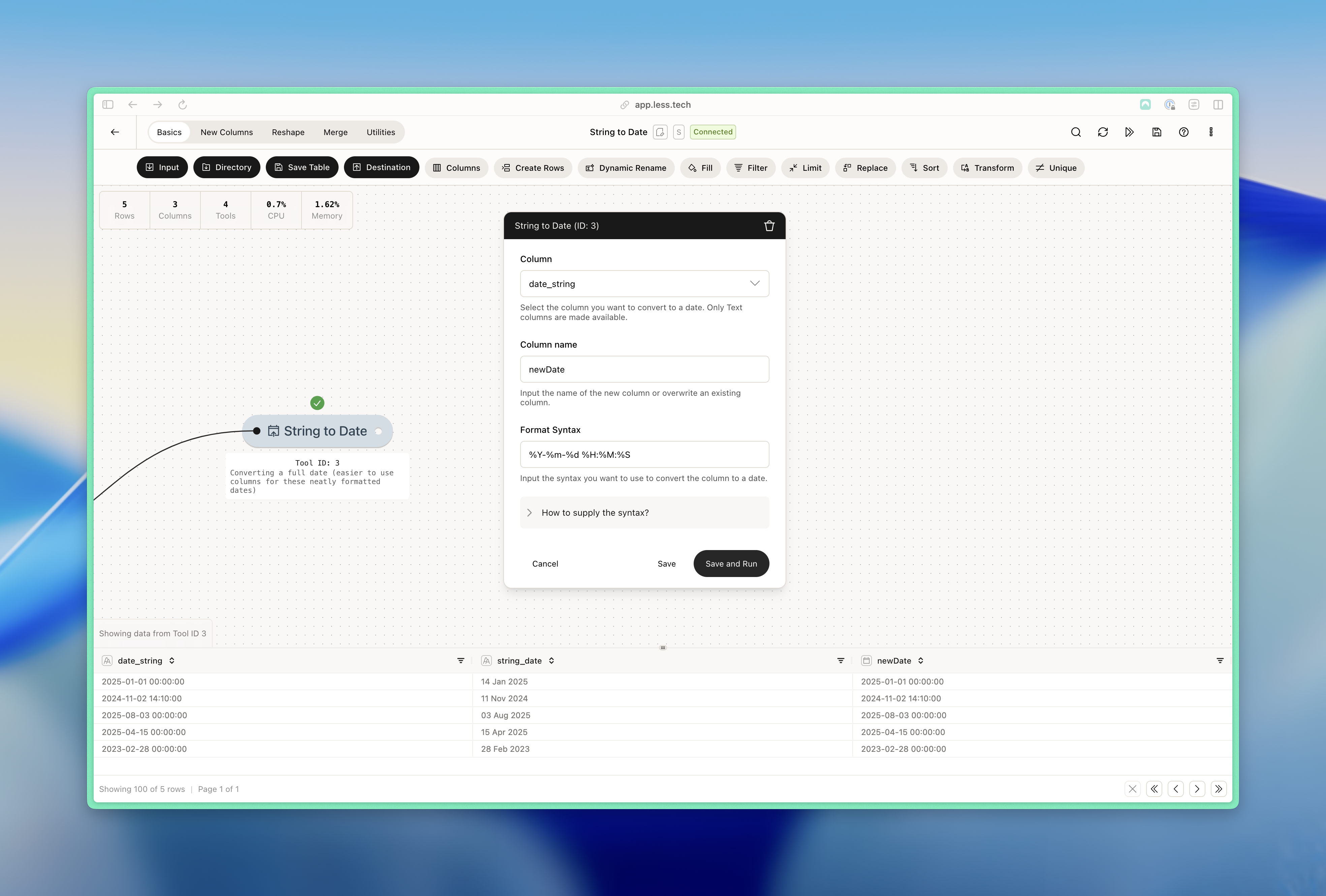
The String to Date tool consists of three required input.
Select the column with the date that you want to parse.
Input the name of the new column that will be created.
You can reference existing columns in the new column name if you want to overwrite the existing column.
Input the format of your date column using the syntax options above. Check out the example below to see how.
### Example: Parsing a date like 22 Aug 2025
Here we have a date column that is formatted as day, then short abbreviated month and then the year (22 Aug 2025). We want to parse this into a date/datetime data format.