> ## Documentation Index
> Fetch the complete documentation index at: https://docs.less.tech/llms.txt
> Use this file to discover all available pages before exploring further.
# New Column
> Create new columns
The New Column tool is one of the most versatile tools in Less. It allows you to create new columns based on the existing columns, static values, with syntax and using parameters.
It can be used for almost any use case you can think of.
### Configuration
Input a new column name.
It's in the field that you use syntax to create your new column. You can do a lot of different things with it: column reference, functions, operations, parameters and static values. Check out the examples below to see a couple of examples.
Note that if you create multiple new columns, you can reference the result of the previously added columns. Like this:
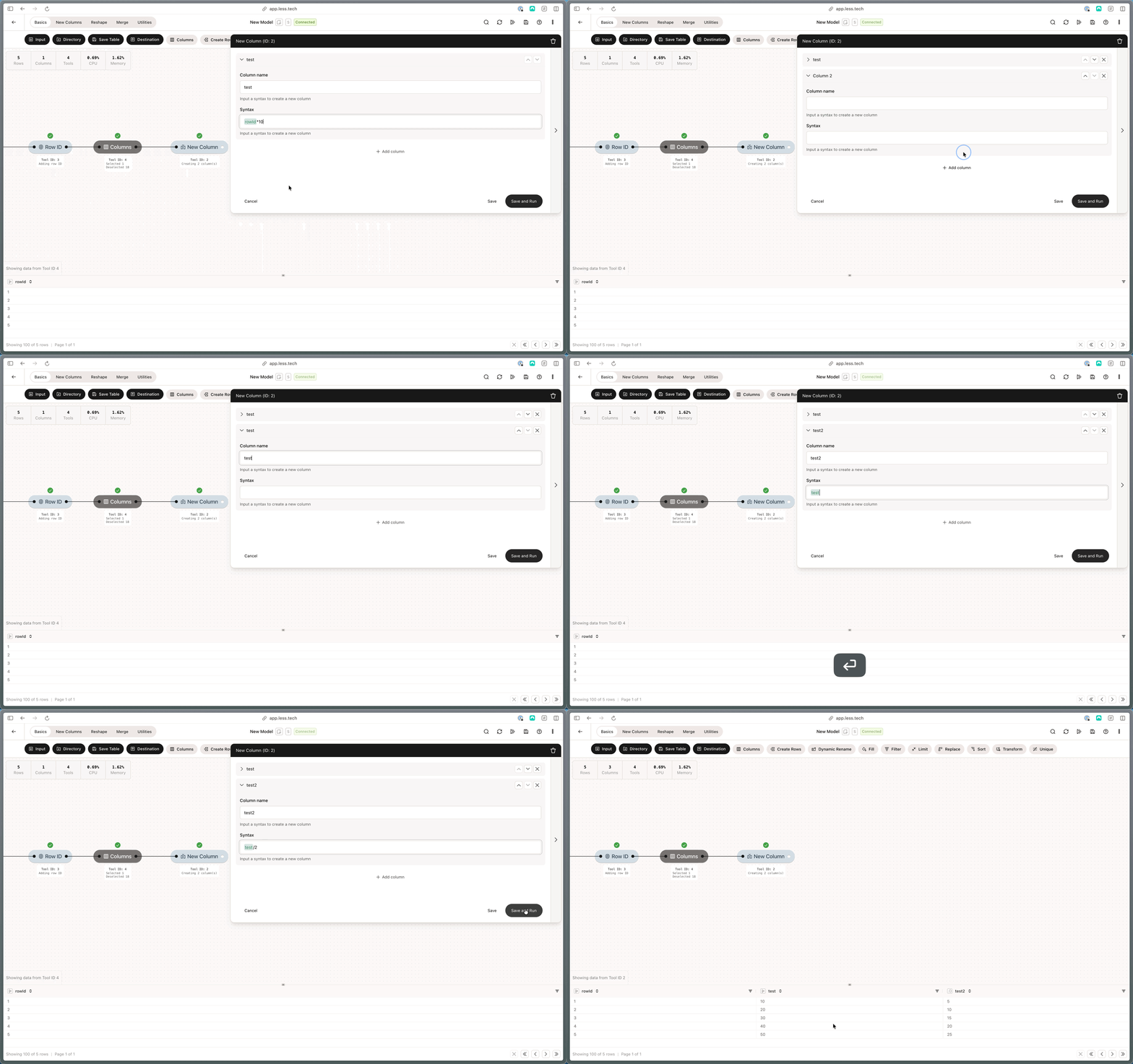 Notice how in the second column, we reference the *test* which was just created above. This is quite powerful, as you can chain multiple columns together and reduce the number of tools on your canvas.
### Example: Static Values
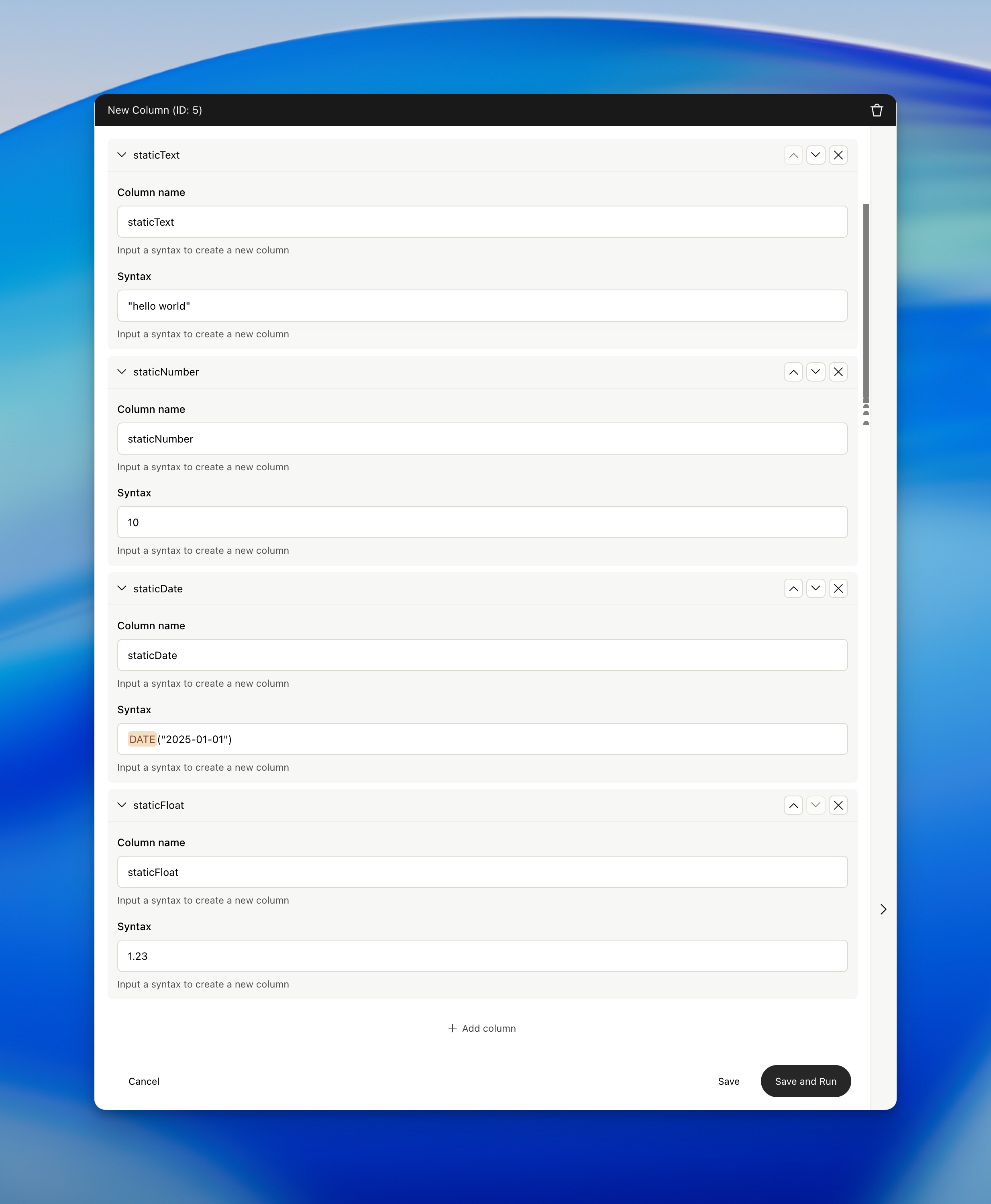
You can easily create new static values by using the syntax field. Here's a couple of examples for different types of columns. Notice the double-quotes around the text literal.
Notice how in the second column, we reference the *test* which was just created above. This is quite powerful, as you can chain multiple columns together and reduce the number of tools on your canvas.
### Example: Static Values
You can easily create new static values by using the syntax field. Here's a couple of examples for different types of columns. Notice the double-quotes around the text literal.
 ### Example: Conversion to date and date difference
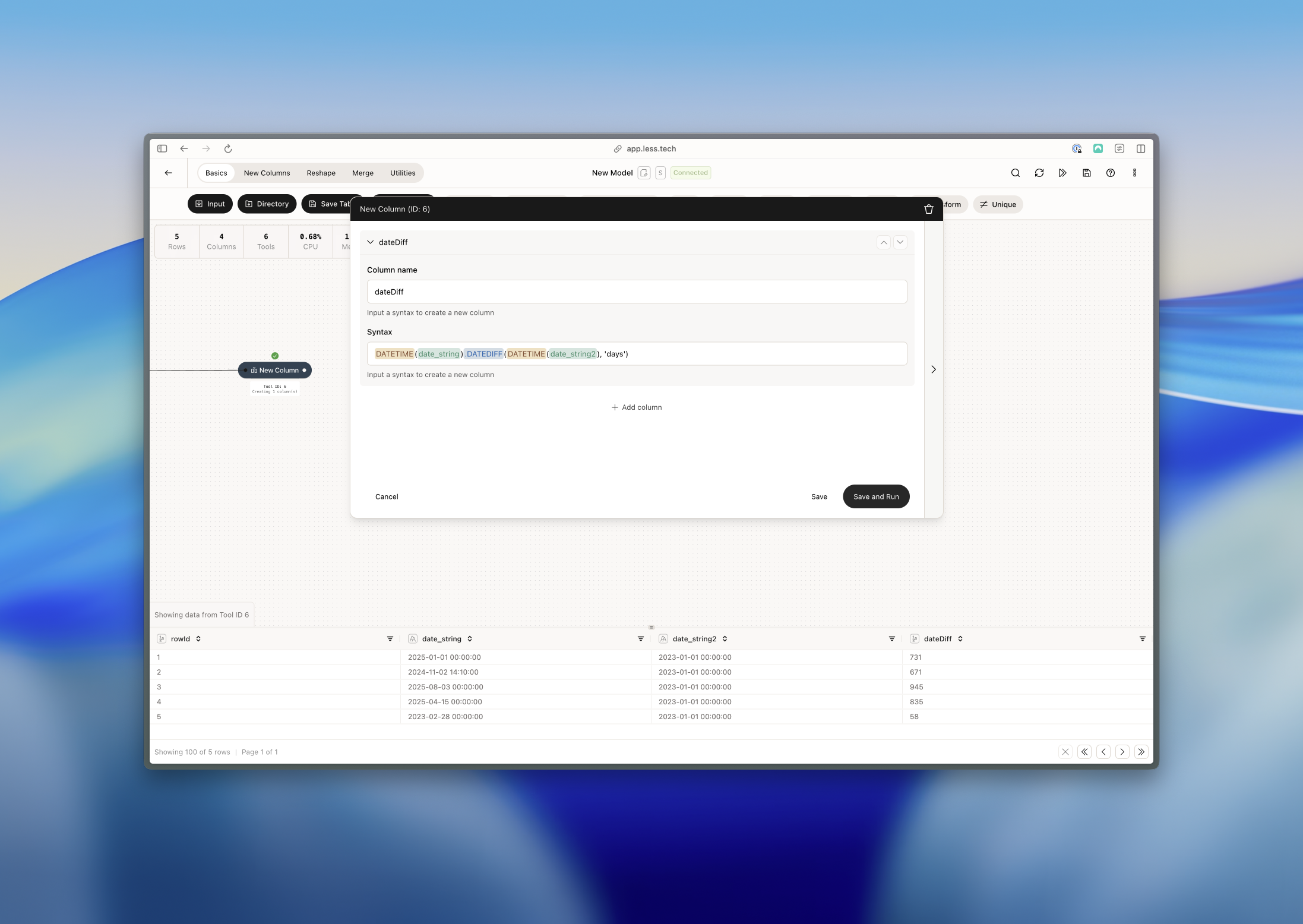
You can easily convert a column to a date and use date difference with the syntax field. Here's an example of doing both simultaneously.
### Example: Conversion to date and date difference
You can easily convert a column to a date and use date difference with the syntax field. Here's an example of doing both simultaneously.
 ### Example: Coalesce and transforming to an integer
You can use coalesce to consolidate columns into a single column. It takes the first non-null value from the columns you specify.
### Example: Coalesce and transforming to an integer
You can use coalesce to consolidate columns into a single column. It takes the first non-null value from the columns you specify.
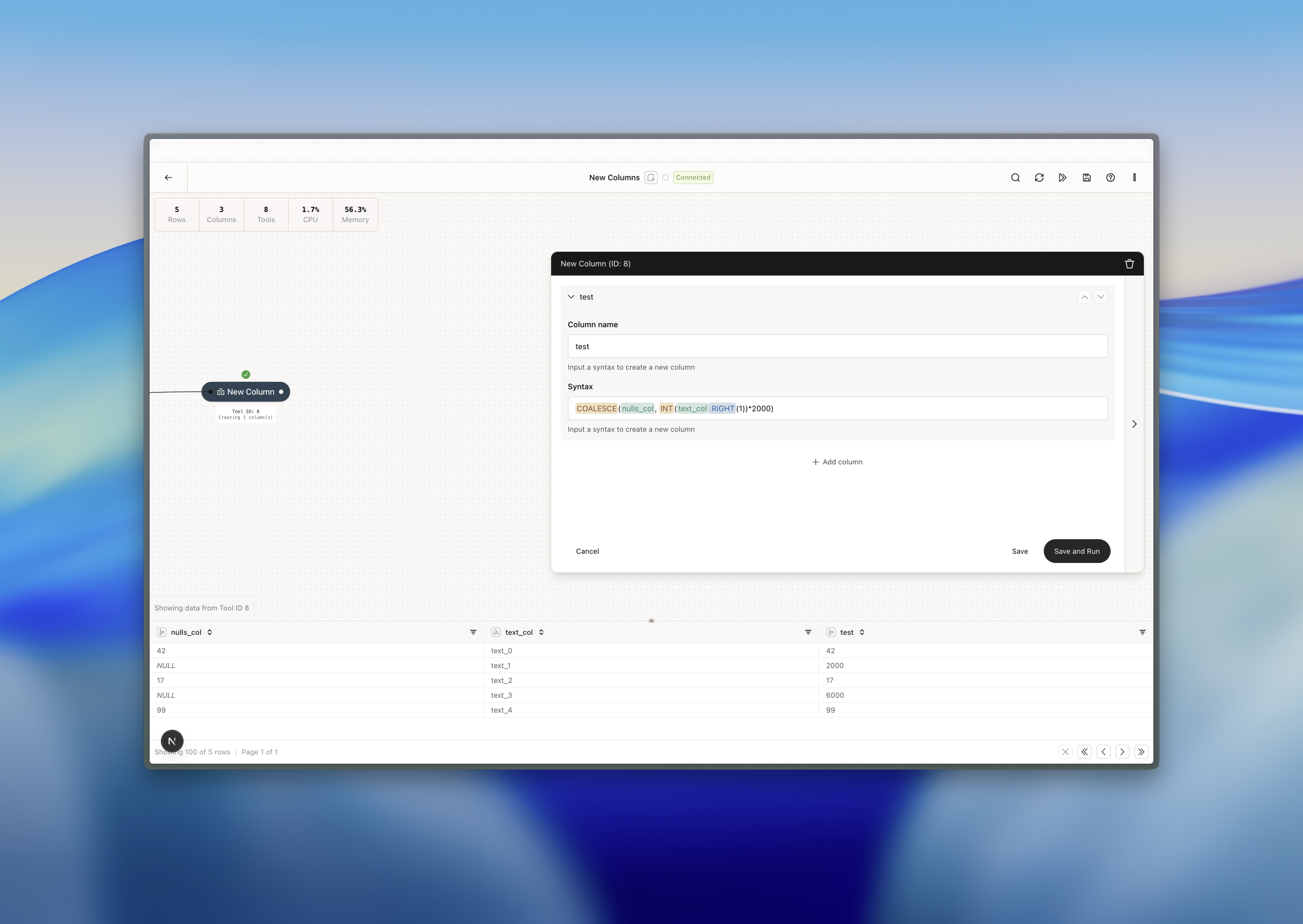 In this example, row 2 and four in the *nulls\_col* column are null, so we then take the first character from the right of the *text\_col* and turn it into an interger. Finally, we mulitply it by 2000.
### Example: Working with parameters
You can also use [parameters](/tools/utilities/parameter) to create new columns. In the example below, we've done the following:
1. Created a parameter called *valueToDivideBy* and given it an integer value of 5
2. We use an IFF (conditional statement) function in the syntax
3. First we say, if the *nulls\_col* is null...
4. ...then give us the rounded *float\_col* to one decimal and divide it by our *valueToDivideBy* (which is 5 in this case)
5. ...otherwise, create a NULL value
In this example, row 2 and four in the *nulls\_col* column are null, so we then take the first character from the right of the *text\_col* and turn it into an interger. Finally, we mulitply it by 2000.
### Example: Working with parameters
You can also use [parameters](/tools/utilities/parameter) to create new columns. In the example below, we've done the following:
1. Created a parameter called *valueToDivideBy* and given it an integer value of 5
2. We use an IFF (conditional statement) function in the syntax
3. First we say, if the *nulls\_col* is null...
4. ...then give us the rounded *float\_col* to one decimal and divide it by our *valueToDivideBy* (which is 5 in this case)
5. ...otherwise, create a NULL value
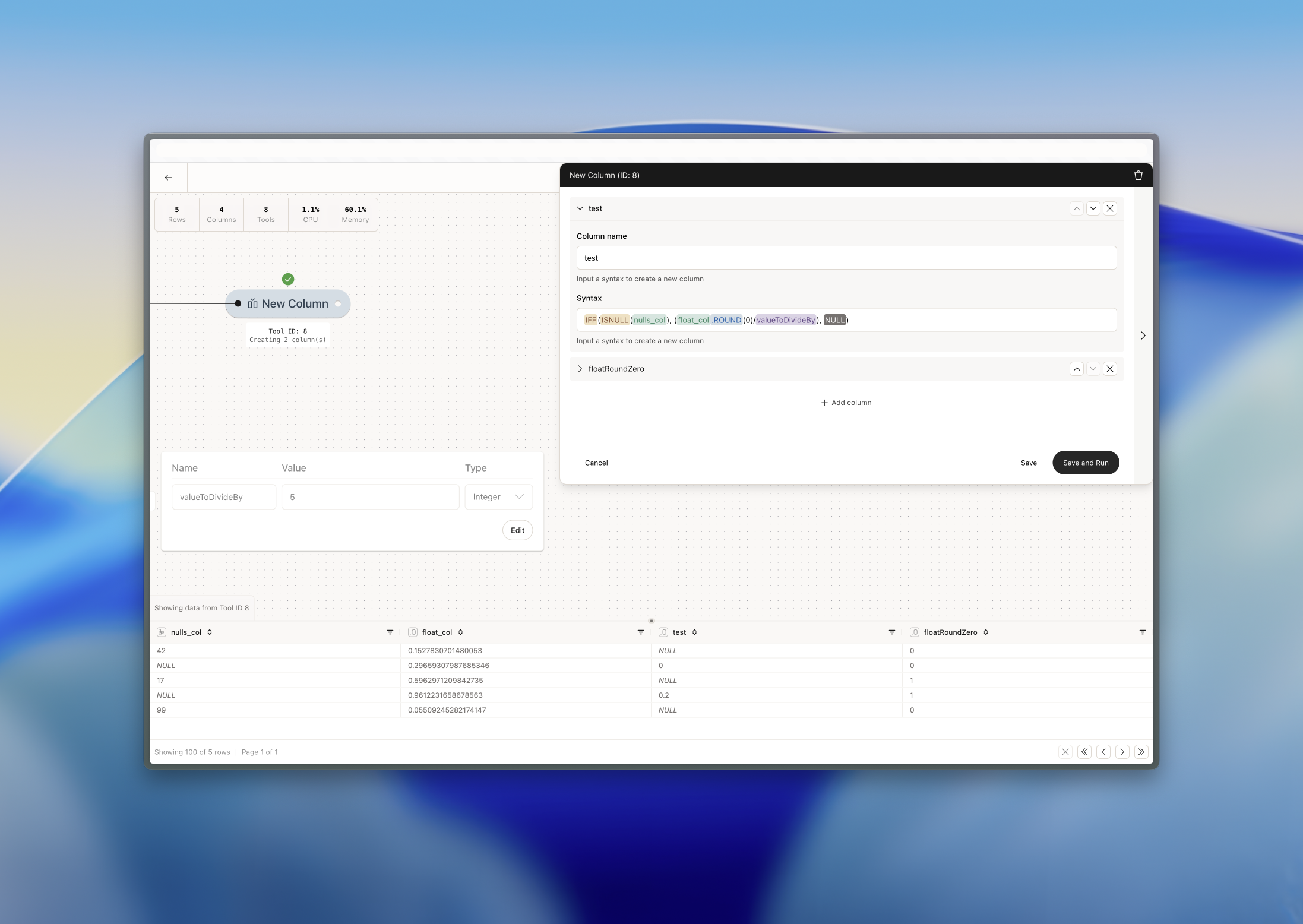 Row to becomes 0 because *float\_col* is rounded to 0. Row 4 becomes 0.2 because *float\_col* is rounded to 1 and then divided by 5. The rest become null because the *nulls\_col* is not null.