> ## Documentation Index
> Fetch the complete documentation index at: https://docs.less.tech/llms.txt
> Use this file to discover all available pages before exploring further.
# Explode List
> Extract part of date columns to new formats
The functionality of the Explode List tool is quite narrow. It is only used with List columns to parse them into multiple rows.
Generally, as List columns are not supported in the majority of the tools, you will most likely use this tool in combination first before applying other tools.
### Configuration
Select the List column you want to parse (explode)
Select the column(s) you want to keep after exploding the List column. If you don't select any columns, the tool will remove all columns.
### Example: Exploding a List column while keeping the original
In this example, we have a simple List column that we'd like to explode and parse to manipulate it further.
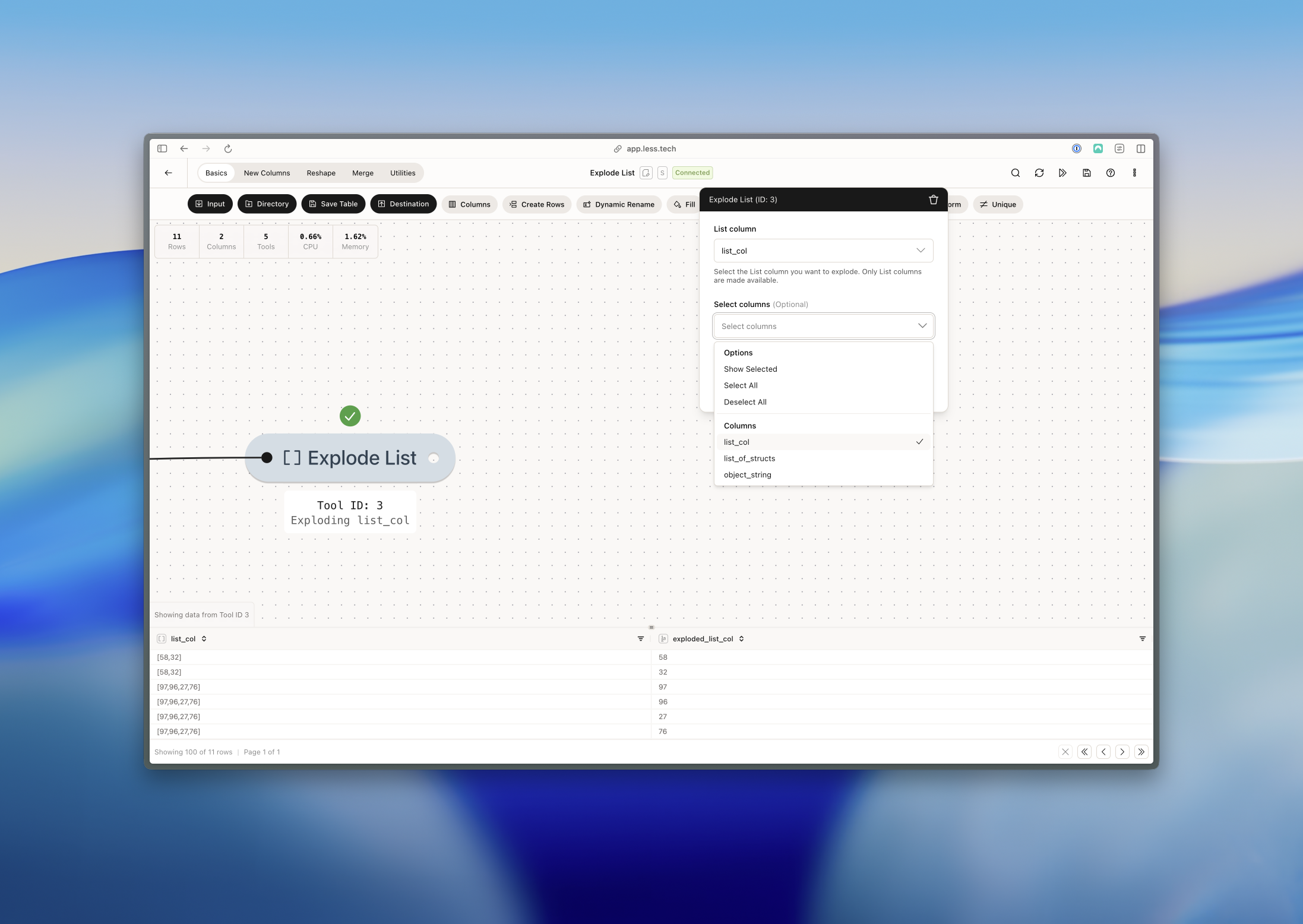 We can see that the List column has been exploded into the *exploded\_list\_col* while the original is still in the dataset - *list\_col*. For each value in each row, the tool creates a new row.