> ## Documentation Index
> Fetch the complete documentation index at: https://docs.less.tech/llms.txt
> Use this file to discover all available pages before exploring further.
# Stack
> Merge datasets vertically
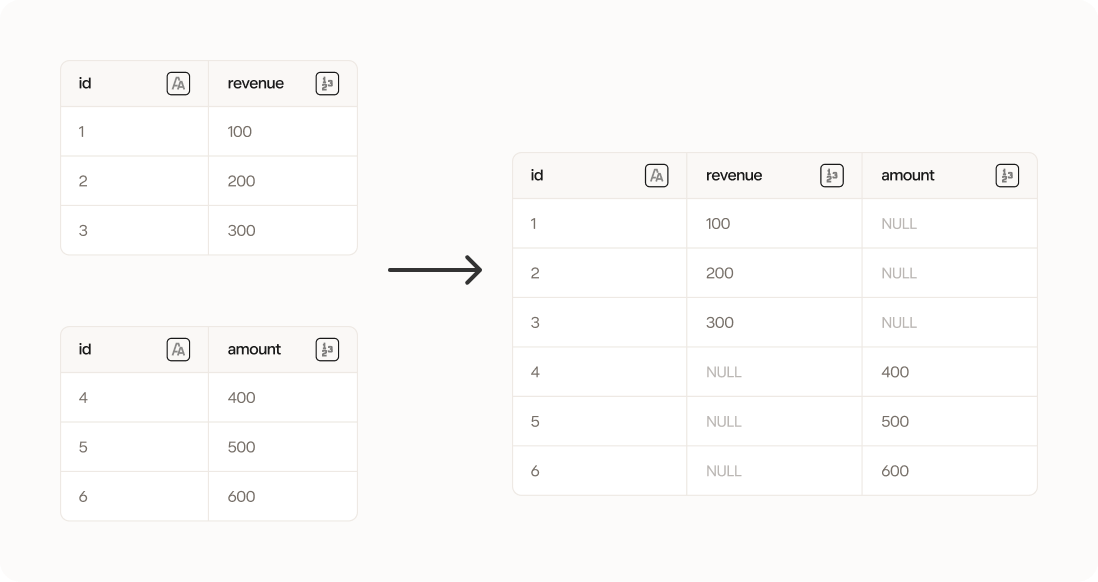
The Stack tool takes two datasets and stacks them on top of each other vertically. It stacks columns with the same name on top of each other. If some columns (e.g. *revenue* and *amount* below) are only present in one of the datasets, the columns will still be stacked but the row values will be *NULL* in the rows from the other dataset where the column is not present.
 Columns with the same name that should be stacked must have the same data type
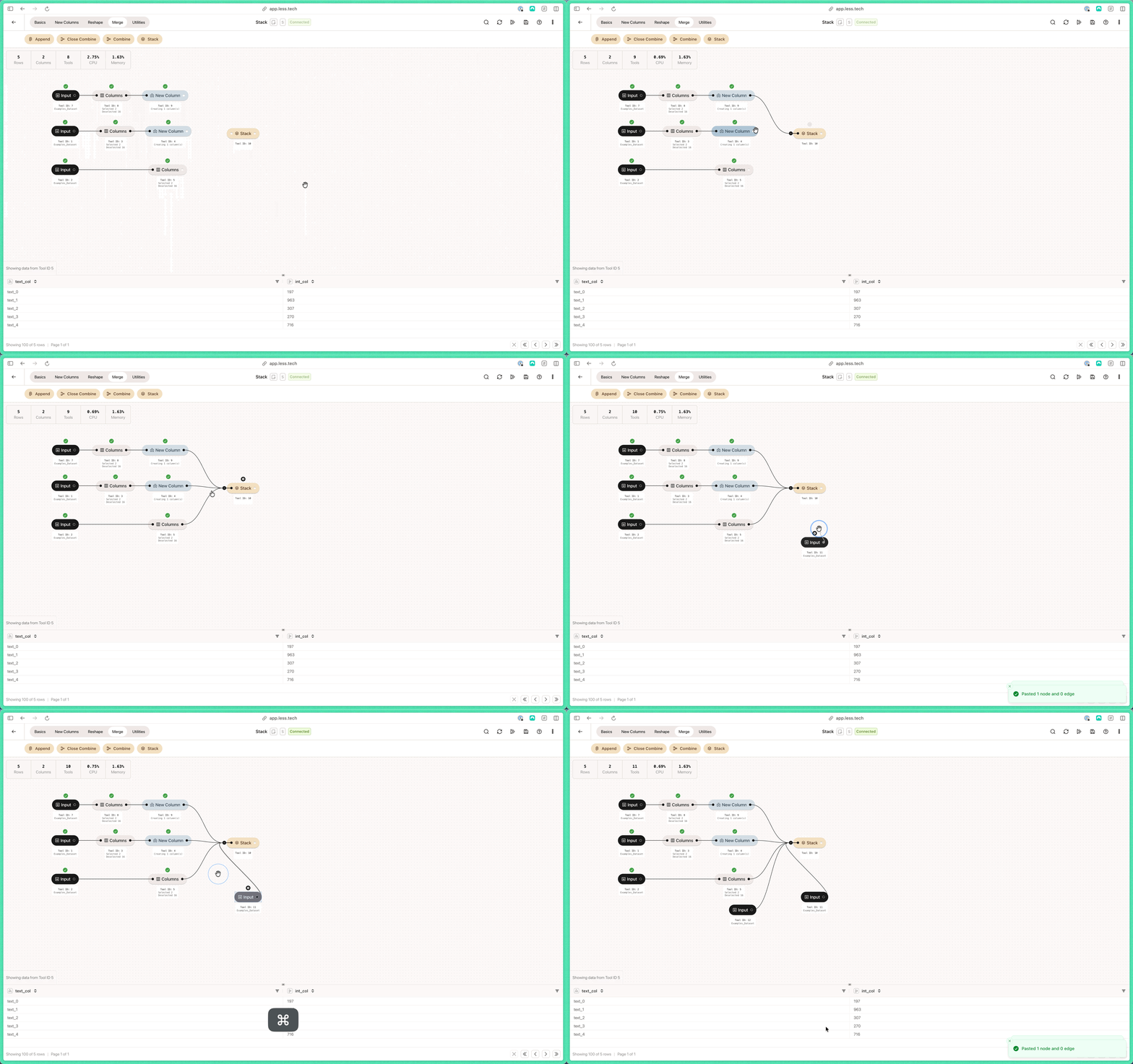
You can add as many incoming datasets as you want.
Columns with the same name that should be stacked must have the same data type
You can add as many incoming datasets as you want.
 ### Configuration
You have two optional configuration steps:
By enabling this option you place a restriction that all tables that are stacked must have exactly the same columns. If one of the tables doesn't, then the Stack tool will fail. This is helpful if you know that all tables should match 1:1 in their structure.
You can choose to customize the order in which the datasets are stacked.
### Configuration
You have two optional configuration steps:
By enabling this option you place a restriction that all tables that are stacked must have exactly the same columns. If one of the tables doesn't, then the Stack tool will fail. This is helpful if you know that all tables should match 1:1 in their structure.
You can choose to customize the order in which the datasets are stacked.