> ## Documentation Index
> Fetch the complete documentation index at: https://docs.less.tech/llms.txt
> Use this file to discover all available pages before exploring further.
# Sort
> Sort the rows in your dataset
The Sort tool is simple but one of the most used tools. It can be used for a steps in an analytics workflow, but is also often used for exploratory data analysis. It changes the order in which your rows are shown in the dataset by sorting one or many columns either ascending or descending.
The order in which you sort matters! The first pair of columns and sorting direction will be applied first, followed by the second pair, etc.
### Configuration
The Sort tool only has one required multi-select input.
Select the column you want to sort by in the tool configuration.
Choose whether to sort the column ascending (small values at the top) or descending (large values at the top).
You can add as many pairs of columns and sorting directions as you want. You can use the up and down arrows to the left to change the order of the columns and build your own sorting hierarchy.
### Example: Why the order matters
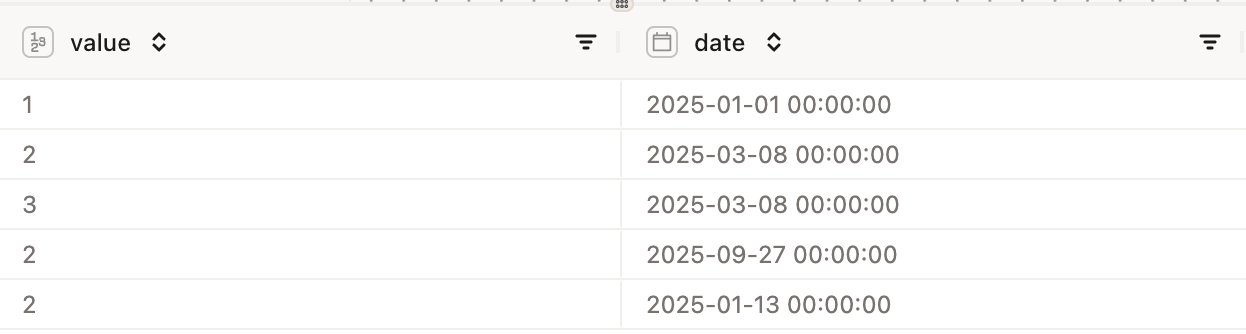
First let's look at the dataset before we sort it.
 Now let's sort the dataset by the *value* column ascending and then by the *date* column ascending.
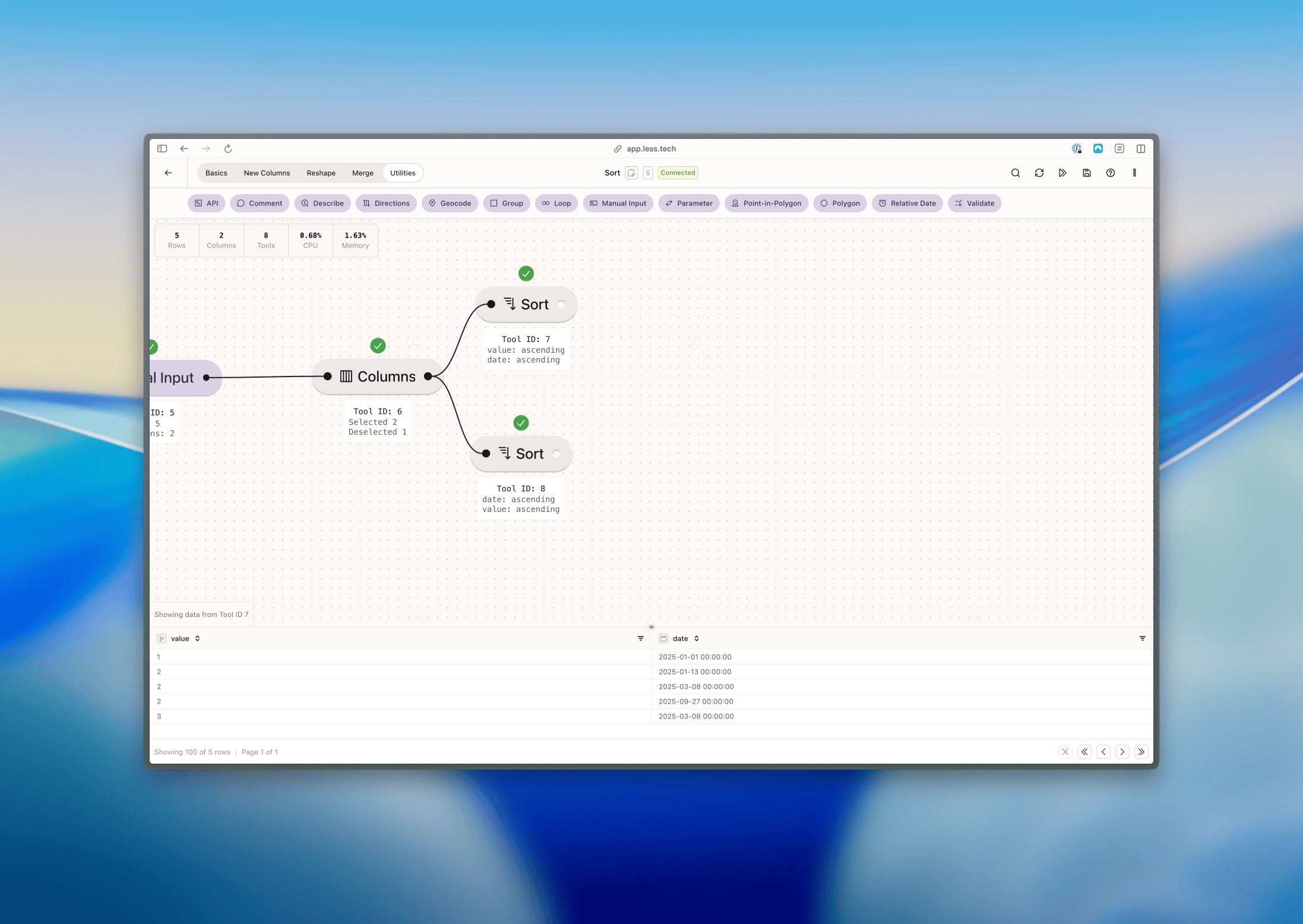 We can see the it has started by sorting the dataset by the *value* column ascending: 1, 2, 2, 2, 3. For the order of the rows with the value 2, it has sorted by the *date* column ascending: 2025-01-13, 2025-03-08, 2025-09-27.
Now let's sort the dataset by the *date* column ascending and then by the *value* column ascending.
We can see the it has started by sorting the dataset by the *value* column ascending: 1, 2, 2, 2, 3. For the order of the rows with the value 2, it has sorted by the *date* column ascending: 2025-01-13, 2025-03-08, 2025-09-27.
Now let's sort the dataset by the *date* column ascending and then by the *value* column ascending.
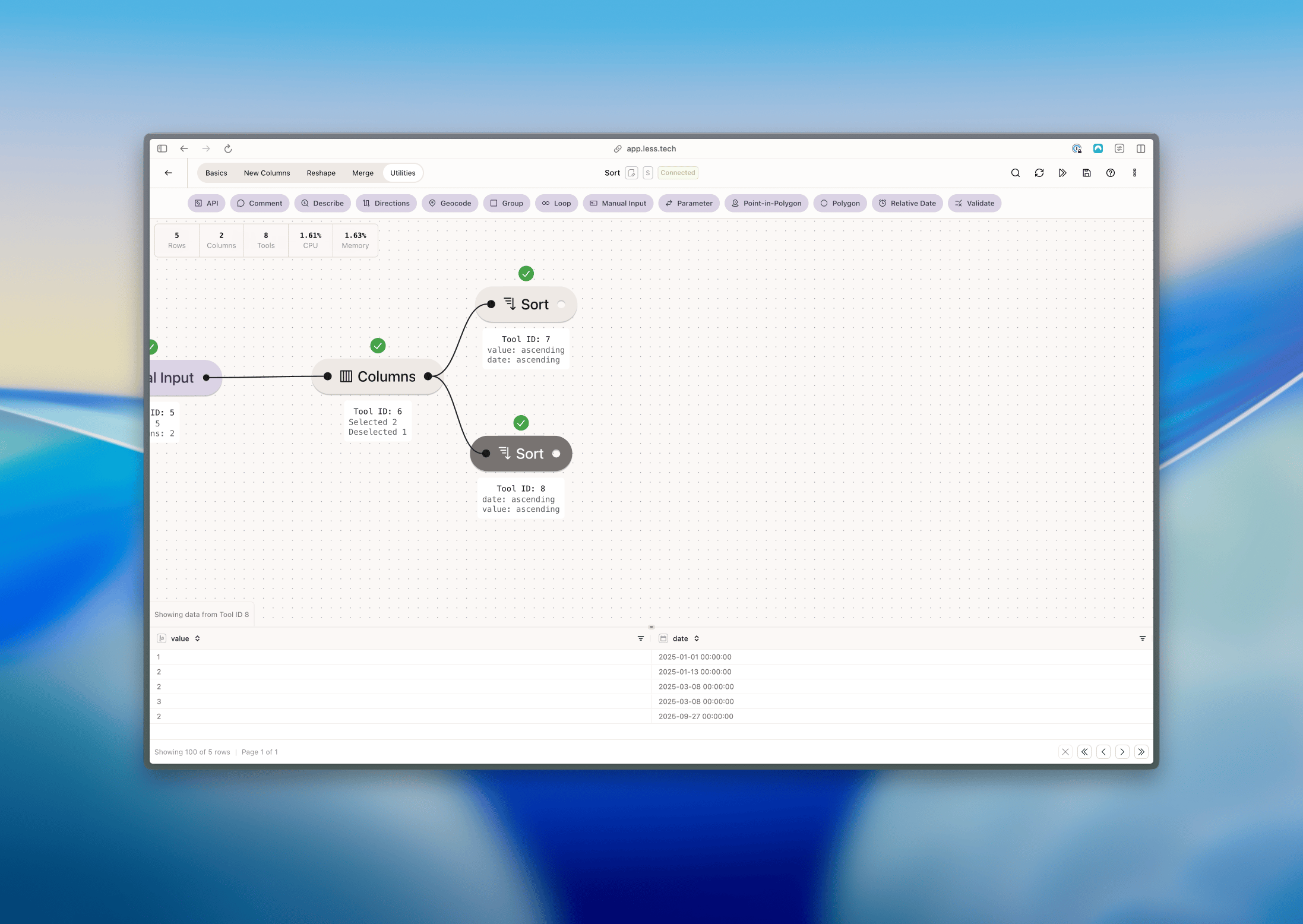 Now we can see the first we sort by the date and when we hit two similar dates (2025-03-08), it has sorted by the *value* column ascending: 2 first and then 3.