> ## Documentation Index
> Fetch the complete documentation index at: https://docs.less.tech/llms.txt
> Use this file to discover all available pages before exploring further.
# Versions
> Automatic version control
Less automatically stores all the previous versions of your models. In other words, every time a team member saves a model, a new version of that model is created automatically.
Read more about versions here: [Versions, Draft and Publish](/canvas/draft-publish)
Go to the folder with your model and click on the three dots to the right-hand side on the row. Click *Version History*.
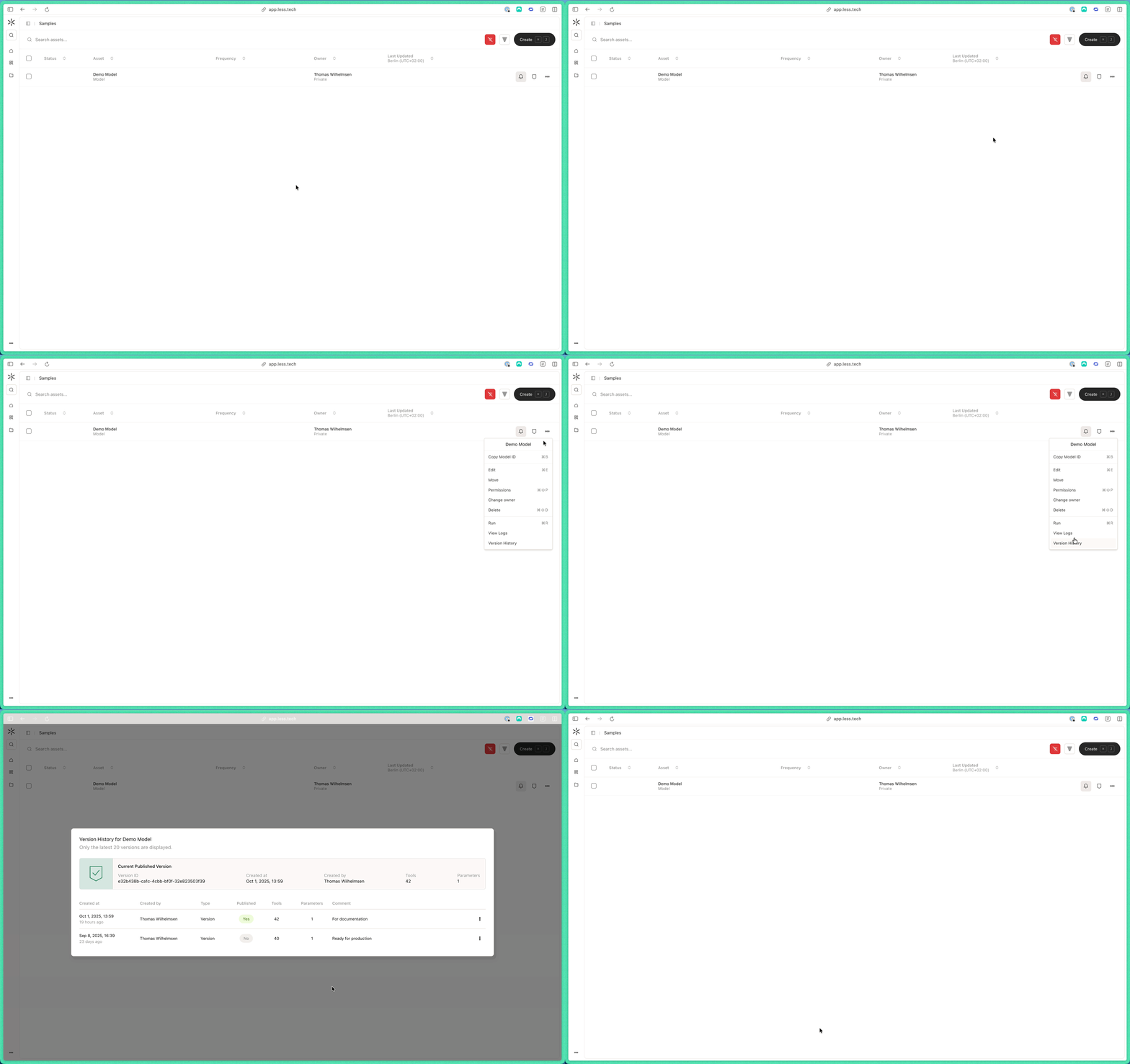 From there you can see the currently published version (1 below) as well as the last 20 other versions (2 and 3 below).
You can click on the currently published version to open it up in a new browser window. You can also publish a different version or open it in a new browser window via the three dots on the right-hand side of each version.
If you change the published version, that version will become the scheduled model.
From there you can see the currently published version (1 below) as well as the last 20 other versions (2 and 3 below).
You can click on the currently published version to open it up in a new browser window. You can also publish a different version or open it in a new browser window via the three dots on the right-hand side of each version.
If you change the published version, that version will become the scheduled model.
