> ## Documentation Index
> Fetch the complete documentation index at: https://docs.less.tech/llms.txt
> Use this file to discover all available pages before exploring further.
# Notifications
> Get email alerts
You can choose to subscribe to notifications for models and source.
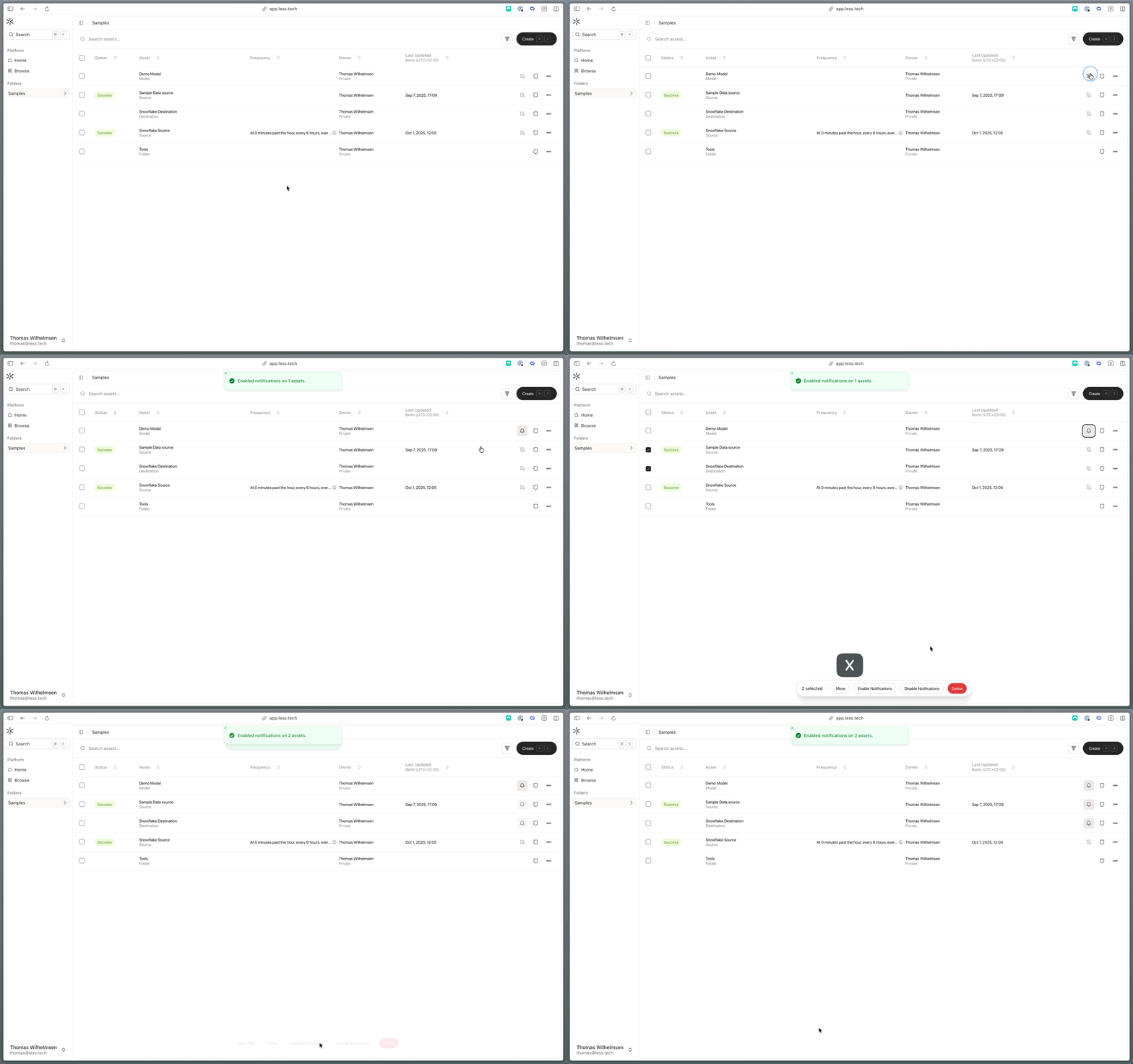
The first step is to enable notifications for a given model, source or orchestration. You can do that by navigating to a folder page and clicking on the "bell" icon on the given row.
 The second step is navigating to the Profile page and clicking on the "Notifications" tab.
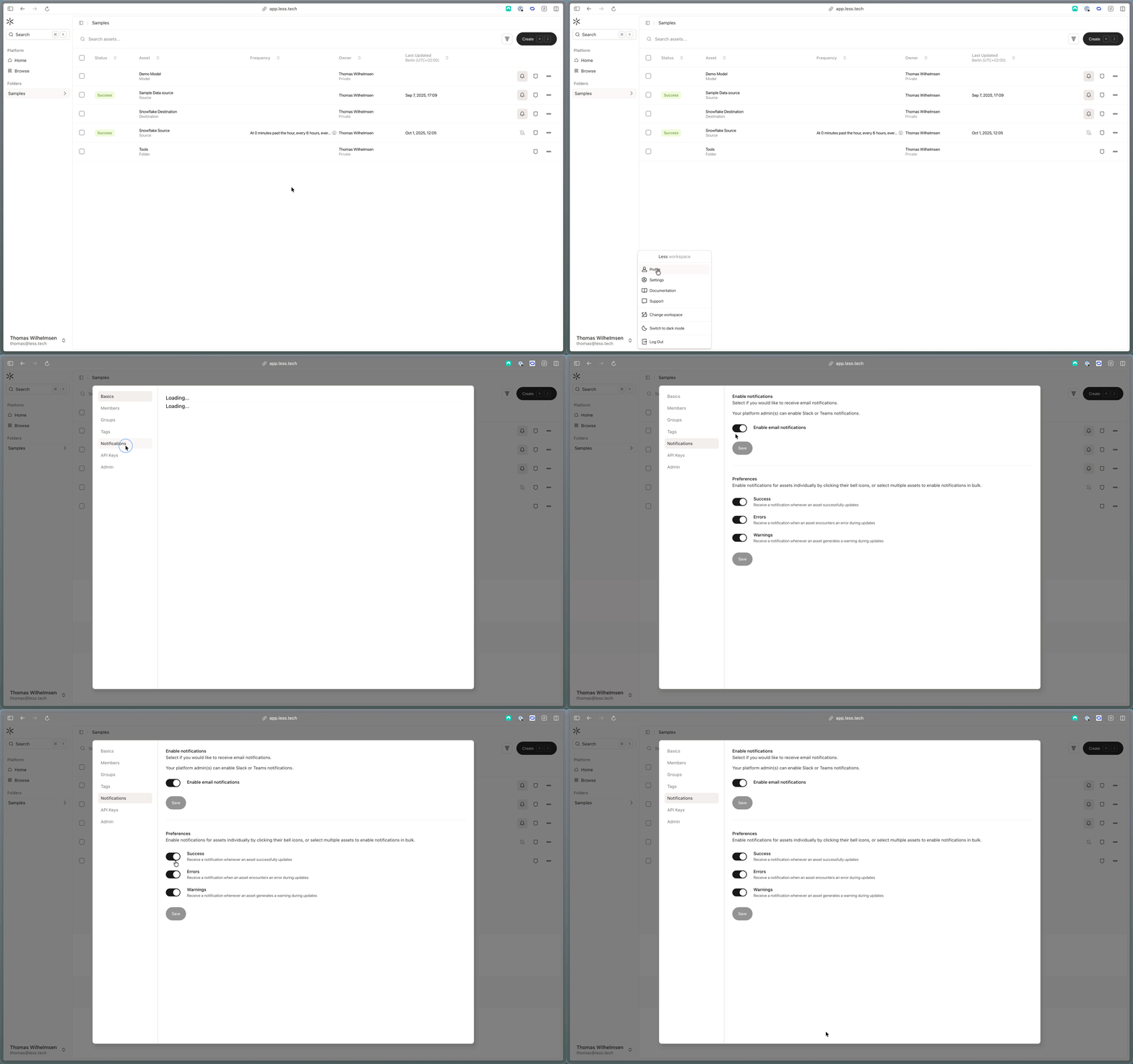 First of all enable email notifications. Then select if you want to be notified when an asset fails, succeeds or creates a warning.