> ## Documentation Index
> Fetch the complete documentation index at: https://docs.less.tech/llms.txt
> Use this file to discover all available pages before exploring further.
# Adding Documentation
Adding documentation to your models is a great way to improve the understanding of your models and the data they produce.
There are two ways to add documentation to your models: using the tool annotations and using the [Comment](/tools/basics/comment) tool.
### Using the tool annotations
The tool annotations are helpful to add tool-specific documentation to your models. Annotations are attached to the tool itself and hence cannot be removed from the tool.
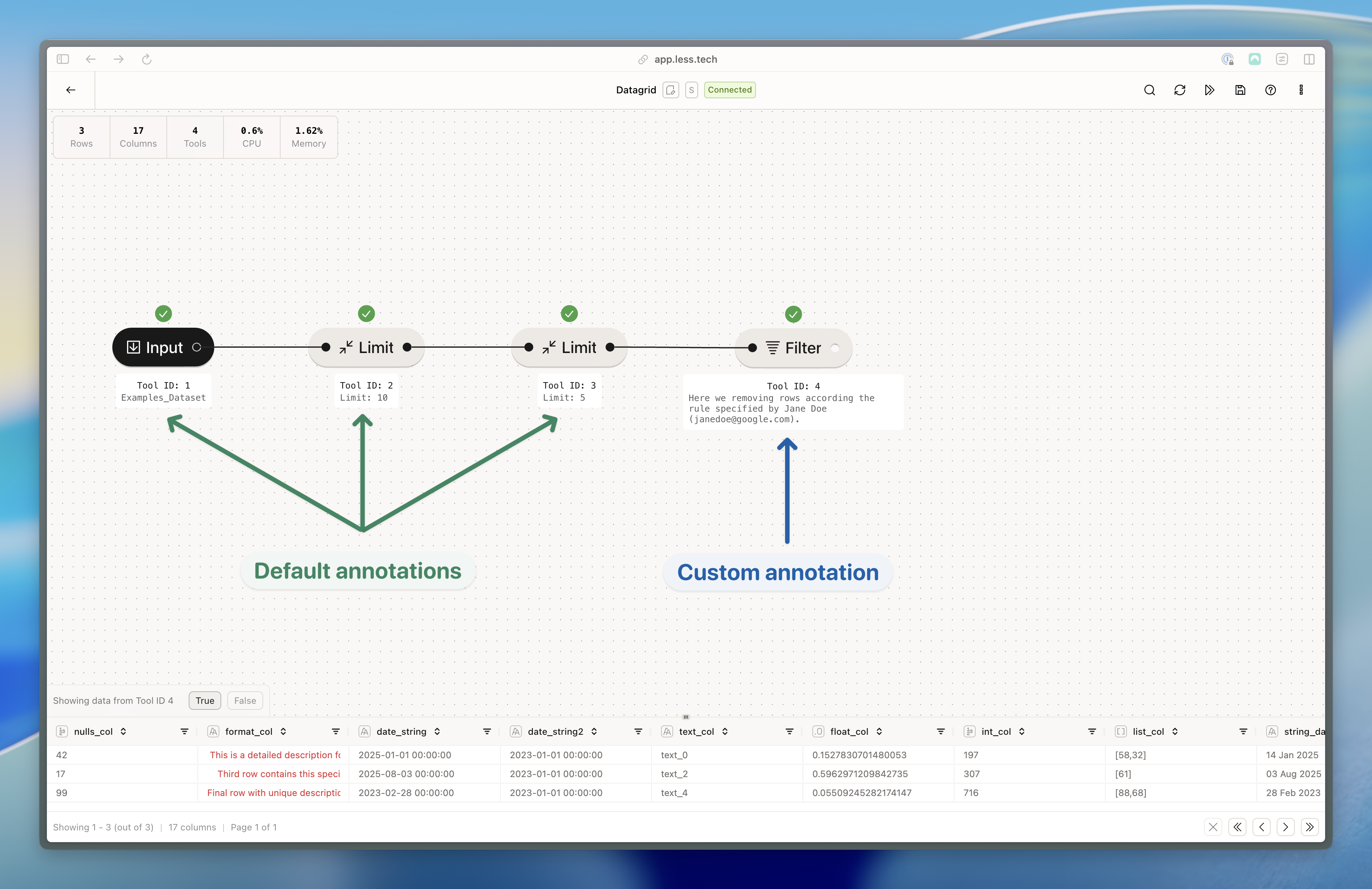 You can easily change the default annotations with your own documentation. If you remove your custom annoation, it reverts to the default.
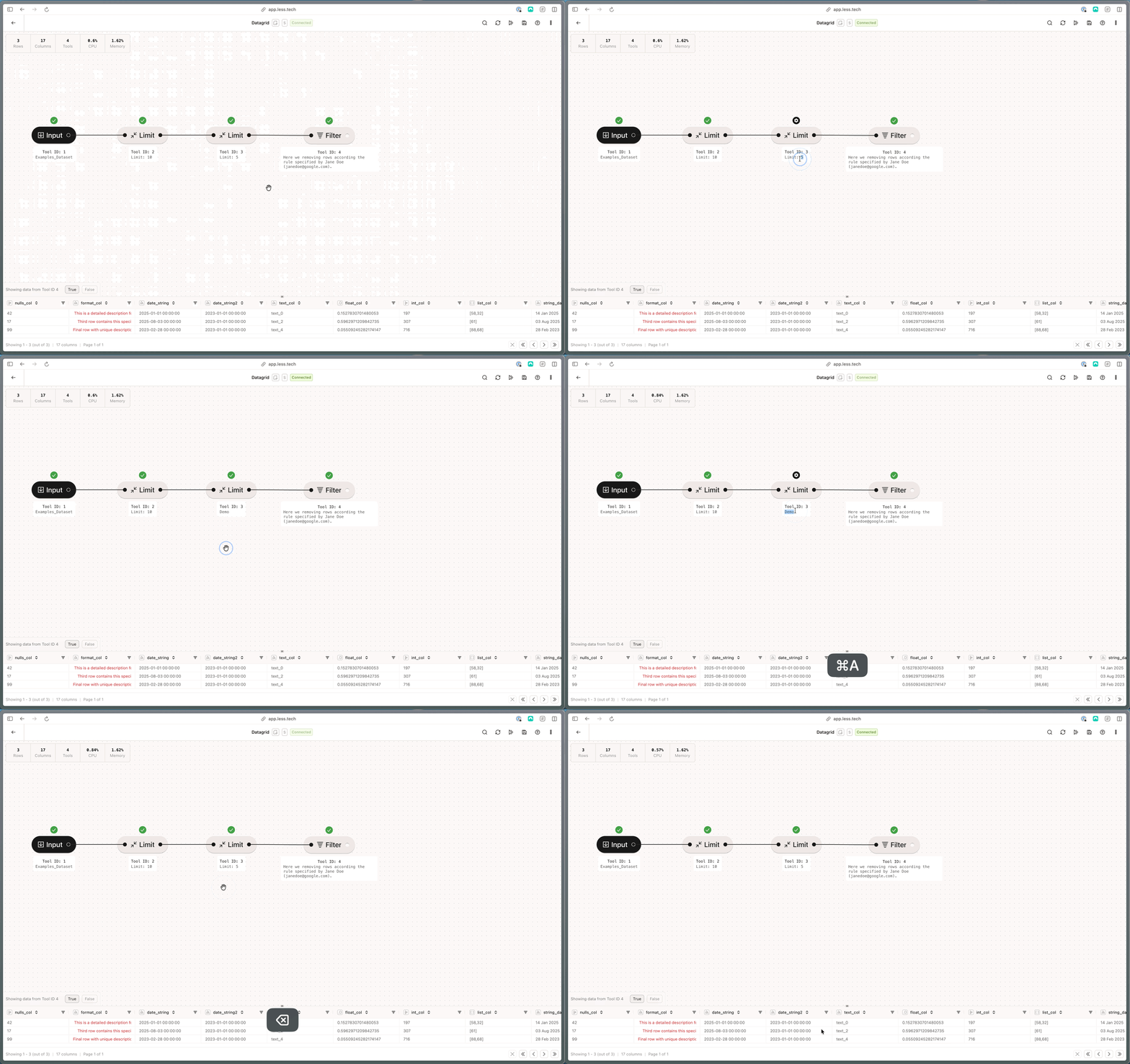 In the "options" menu in the top right corner, you can choose whether you want to show 1) all annotations, 2) none or 3) custom annotations only.
### Using the Comment tool
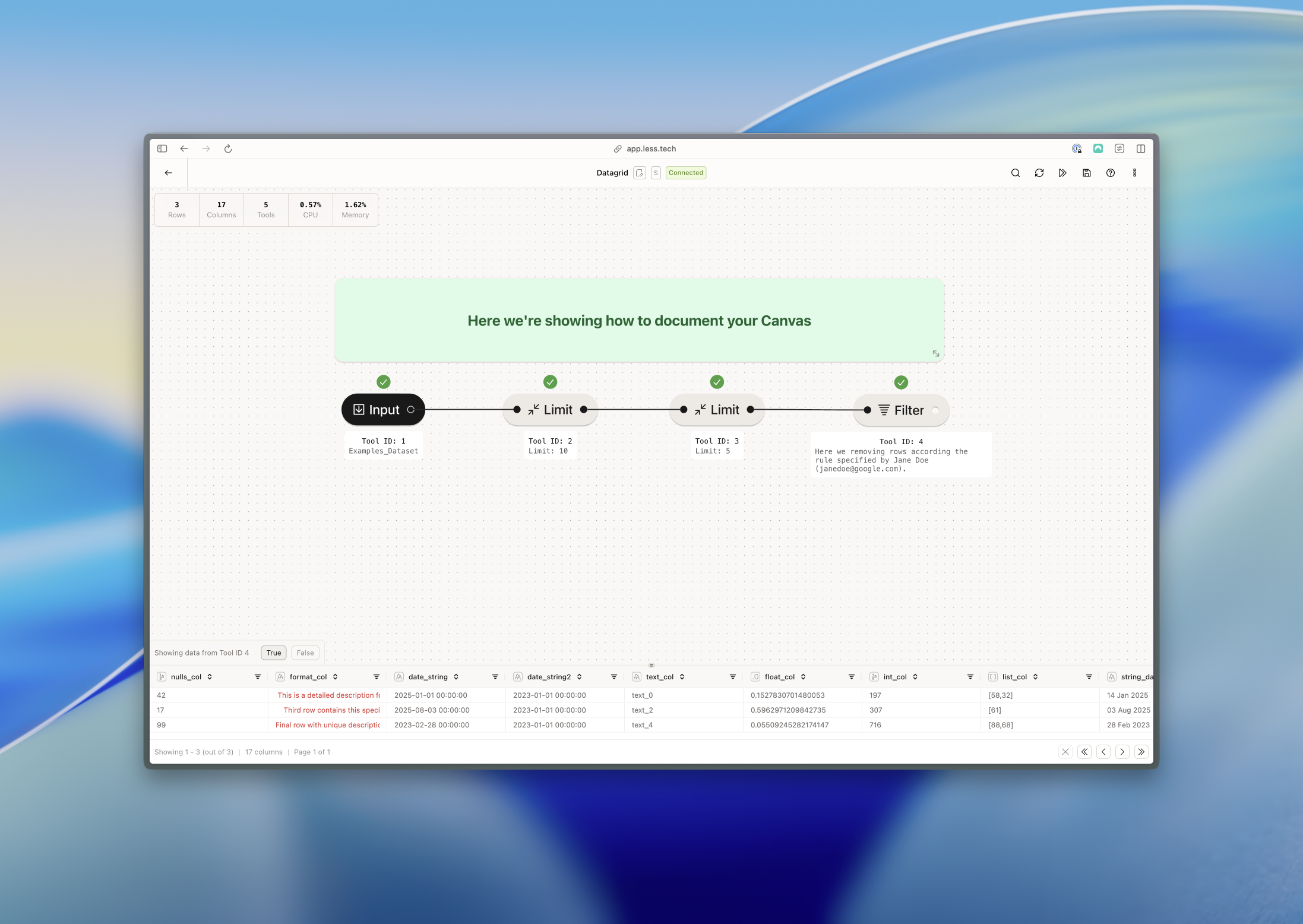
The [Comment](/tools/basics/comment) tool is a great way to add documentation across multiple tools. Read more Comment tool [here](/tools/utilities/comment).
In the "options" menu in the top right corner, you can choose whether you want to show 1) all annotations, 2) none or 3) custom annotations only.
### Using the Comment tool
The [Comment](/tools/basics/comment) tool is a great way to add documentation across multiple tools. Read more Comment tool [here](/tools/utilities/comment).